Blogs

Best Ways to Optimize Machining with Advanced SolidWorks CAM Service

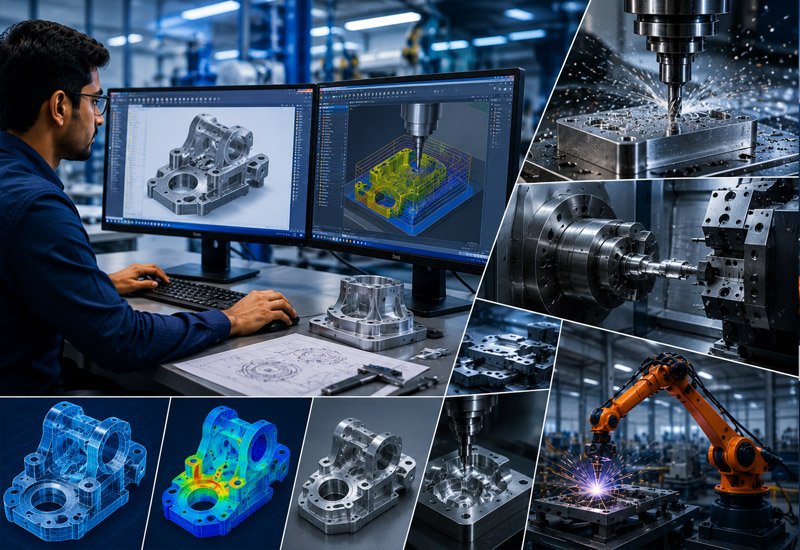
Manufacturing teams face constant pressure to cut costs, boost speed, and maintain top tier quality. That is exactly where a reliable SolidWorks CAM Service becomes valuable. This service connects design and production in one smooth workflow. Machinists spend less time troubleshooting and more time cutting parts correctly the first time. In this article, we walk through the best ways to optimize your machining process using advanced SolidWorks CAM tools, back it with current industry data, and explain why the right approach can transform your shop floor efficiency.

Why Machining Optimization Matters Today

Modern manufacturers cannot afford wasted material, idle machines, or long changeover times. Every minute a CNC machine sits without cutting costs money. Optimized machining reduces scrap, shortens lead times, and helps shops meet tighter delivery windows.

Companies that invest in smarter CAM programming often see fewer errors on the shop floor. They also spend less on rework. When toolpaths are planned correctly from the start, operators trust the program and run it with confidence.

The Data: What CAM Optimization Actually Delivers

Toolpath and simulation improvements aren’t just theoretical — shops that adopt smarter CAM programming report measurable gains across cycle time, tool life, and rework:

  • CNC optimization software can reduce cycle times by 25% to 70%, even on programs already generated by CAM systems, and can extend tool life by 100% or more by keeping chip thickness and cutter load constant (Modern Machine Shop).
  • High efficiency roughing strategies built into modern CAM systems can cut roughing cycle times by as much as 80% compared to traditional hogging passes, though total part cycle time gains depend on how much of the job is roughing versus finishing.
  • SolidCAM’s iMachining technology, one of the toolpath engines available inside SolidWorks-integrated CAM workflows, reports cycle time reductions of up to 70% on roughing operations and tool life extension of up to 5x.
  • A 2025 case review of a modern CAM stack found average cycle time down 35% on recurring parts, 70% fewer post-program manual edits, and a 20% reduction in rework linked directly to collision prevention in simulation.

At a glance:

MetricReported ImprovementSource
Roughing cycle time cutUp to 70%Modern Machine Shop / SolidCAM
Tool life extensionUp to 5x (100%+)Modern Machine Shop / SolidCAM
Manual post-program edits cut70%CAM Pro Software case study
Rework reduction (collision prevention)20%CAM Pro Software case study

Understanding SolidWorks CAM Service

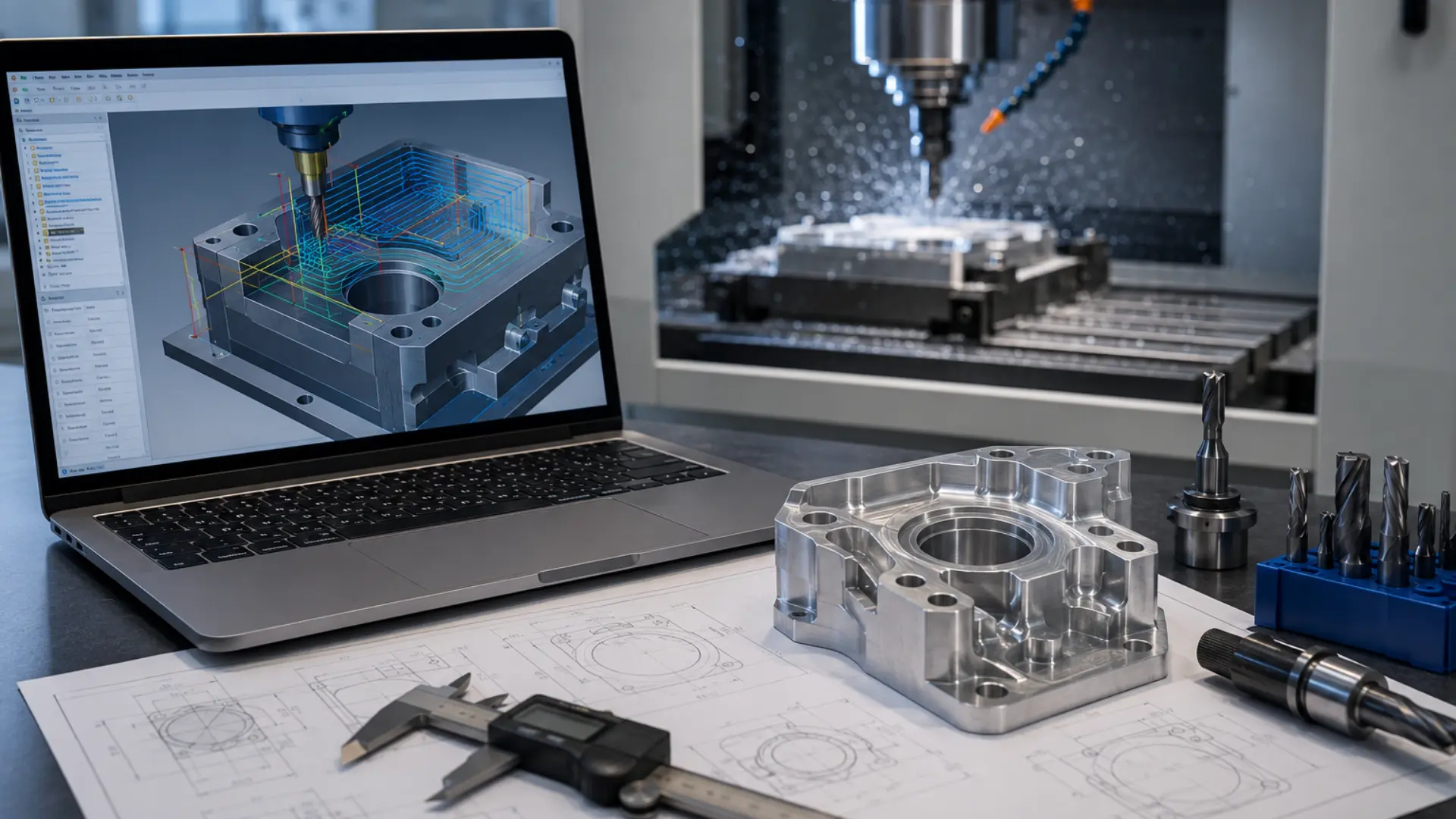
SolidWorks CAM works directly inside the SolidWorks design environment. Engineers can generate toolpaths without exporting files to a separate CAM package. The software reads the 3D model’s features automatically, then recommends machining operations based on geometry. This tight integration cuts down on programming time and reduces the chance of errors that happen when data moves between separate systems.

A good CAM service does more than generate toolpaths. It fine tunes cutting parameters, selects the right tools for each operation, and verifies the program through simulation before it touches a machine. This step alone prevents costly mistakes like tool collisions or incorrect feed rates.

Key Ways to Optimize Machining with SolidWorks CAM

1. Streamline Toolpath Programming

Toolpath programming eats up a large chunk of a machinist’s day when done manually. SolidWorks CAM automates much of this work by recognizing features like holes, pockets, and slots directly from the CAD model. The software then suggests appropriate machining strategies for each feature. This automation saves hours on complex parts and reduces the risk of human error during setup.

2. Reduce Cycle Time with Smart Simulation

Simulation lets you preview the entire machining process before cutting a single chip. You can spot collisions, check tool clearance, and confirm that feed rates match the material you are cutting. Catching these issues early helps you avoid downtime on the shop floor. Shops that run simulations consistently report shorter cycle times and fewer scrapped parts.

3. Improve Accuracy with Integrated Design Data

SolidWorks CAM pulls data straight from the CAD model, so there is no gap between design intent and machining output. Engineers update the model, and the CAM program updates automatically. This keeps tolerances tight and prevents outdated toolpaths from entering production. Precision improves because the numbers driving the machine come from the same source as the design.

4. Cut Material Waste Through Better Planning

Smart nesting and stock management features help planners use raw material more efficiently. The software calculates material needs based on actual part geometry instead of rough estimates. Our related guide on how CAMWorks nesting improves material utilization breaks this down in more depth. This reduces scrap and keeps material costs under control, which matters even more when you work with expensive alloys.

5. Strengthen Collaboration Between Design and Manufacturing

Design and manufacturing teams often work in silos, and that gap causes delays. Pairing CAM programming with accurate Solidworks Drafting keeps everyone on the same page, from the first sketch to the final cut part. Clear drawings paired with automated toolpaths mean fewer questions on the shop floor and faster approvals. When design and manufacturing speak the same language, projects move through production faster.

Want to see how much cycle time you could cut?

KEYWAY’s team can review a sample part and show you where SolidWorks CAM would save the most time. Explore our CAM services to get started.

How SolidWorks CAM Fits into a Modern Machine Shop

A machine shop runs on tight schedules. Parts move from design review to programming to the machine floor within days, sometimes hours. SolidWorks CAM fits into this pace because it lives inside the same software engineers already use to build the model. Programmers do not need to relearn a new interface or wait for a file to translate correctly.

This matters most when a design changes late in the process. A client might request a different hole pattern or a tighter tolerance the day before production starts. Because the CAM data stays linked to the model, a quick edit updates the toolpath automatically. The programmer reviews the change, reruns the simulation, and sends the job to the machine without starting from scratch.

Choosing the Right CAM Strategy for Your Project

Not every part needs the same machining approach. Picking the right strategy up front saves time and protects your tools from unnecessary wear. SolidWorks CAM supports several strategies, and understanding when to use each one makes a real difference in shop performance.

Milling for Complex Geometry

Milling handles parts with pockets, contours, and multiple faces. SolidWorks CAM recognizes these features and applies roughing and finishing passes automatically. Programmers can still adjust stepover, depth of cut, and tool selection whenever a part calls for extra care.

Turning for Cylindrical Parts

Turning suits shafts, bushings, and other round components. The software calculates efficient cutting sequences that reduce tool changes and keep spindle time low. Shops that machine a high volume of cylindrical parts often see the biggest time savings here.

Multi-Axis Machining for Advanced Parts

Aerospace and medical parts often need five-axis machining to reach every surface in one setup. SolidWorks CAM supports these advanced strategies, which cuts down on repositioning and improves accuracy across the whole part.

Tips for Getting Started with SolidWorks CAM

Shops moving to SolidWorks CAM for the first time do not need to overhaul their entire process overnight. A gradual rollout tends to work best and keeps the whole team on board.

  • Start with simple parts to build confidence in the toolpaths
  • Train one or two programmers first, then expand knowledge across the team
  • Use the built-in feature recognition before writing custom toolpaths manually
  • Run every new program through simulation, even for parts you know well
  • Review post-processor settings so output matches your specific machine controller

Following these steps helps a shop avoid the common frustration of adopting new software too quickly. Small wins early on build trust in the system, and that trust carries over as programmers tackle more complex parts.

Benefits of Partnering with Experts for CAM Services

Not every shop has the bandwidth to train staff on advanced CAM features. Partnering with a dedicated service provider gives you access to specialists who already know how to get the most performance out of SolidWorks CAM. This partnership brings several advantages:

  • Faster programming turnaround for complex parts
  • Reduced tool wear through optimized cutting parameters
  • Fewer machine collisions thanks to thorough simulation checks
  • Consistent quality across multiple production runs
  • Lower overall machining costs over time

Outsourcing CAM programming also frees up your in-house engineers, so they can focus on design work instead of spending hours fine tuning toolpaths.

Common Challenges in Machining Optimization

Even with the best tools, shops run into obstacles. Outdated machine tools may not support advanced toolpath strategies. Some teams stick to manual programming out of habit, even when automated tools would save time. Training gaps create another common issue, since not every machinist gets exposure to the latest CAM features.

Addressing these challenges usually starts with a clear evaluation of current workflows. Shops that adopt new tools gradually, rather than all at once, tend to see smoother transitions and better buy-in from their teams.

Measuring the Return on CAM Optimization

Shop owners want proof that a new tool actually pays off. Tracking a few key metrics before and after adopting SolidWorks CAM makes the return on investment easy to see. Cycle time per part, scrap rate, and programming hours per job all tend to improve within the first few months.

Tool life often improves too, since simulation catches feed and speed issues before they damage a cutter. Over a full year, these small gains add up to real savings on both material and labor costs. Shops that review these numbers quarterly can spot trends early and adjust their programming approach before small issues turn into bigger costs.

Where SolidWorks CAM Delivers the Most Value

Certain industries see faster payback from SolidWorks CAM than others. Aerospace and medical device shops benefit from the tight tolerances and repeatable simulation checks the software offers. Automotive suppliers gain from shorter cycle times on high-volume runs, where even small efficiency gains multiply across thousands of parts.

Job shops that handle a wide mix of parts also benefit, since feature recognition speeds up programming on one-off jobs that would otherwise take hours to set up manually. Regardless of industry, the common thread is a workflow that connects design and machining without unnecessary delays.

Final Thoughts

Optimizing your machining process with SolidWorks CAM is not a one-time fix. It is an ongoing effort that combines smart programming, accurate simulation, and strong collaboration between design and manufacturing teams. Shops that commit to this approach see fewer errors, shorter cycle times, and lower costs over the long run.

If you are ready to take your machining process to the next level, KEYWAY offers the expertise and tools to help you get there. Their team knows how to turn a good CAD model into an efficient, reliable production run.
Why Businesses Need Product Rendering Service for Faster Approvals

Every product team knows the pain of waiting on approvals. A new packaging design sits in someone’s inbox for days. A sales deck needs updated visuals before a client meeting. A manufacturer wants to see the final look before signing off on production. This is exactly where a Product Rendering Service changes the game. Instead of waiting weeks for physical samples or rough sketches, businesses can now generate photorealistic visuals in days, sometimes hours, and get stakeholders to say yes much faster.

In this article, we’ll break down why rendering has become a must-have tool for modern brands, back it with current industry data, and cover what to look for when choosing a rendering partner.

The Approval Bottleneck Every Brand Faces

Approvals slow everything down. A packaging redesign might pass through marketing, then legal, then a retail partner, then the client. Each step adds days or weeks to the timeline. Traditional methods make this worse because teams often rely on flat mockups or physical prototypes that cost money and time to produce.

Physical samples create their own problems too. If a stakeholder wants to see three color variations, a team has to produce three separate prototypes. That means more material costs, more shipping delays, and more waiting. By the time samples arrive, market trends may have already shifted.

This is why more companies are turning toward digital solutions. Rendering removes the physical production step entirely from the early approval stages. Teams can generate multiple versions of a design within the same day and share them instantly with decision-makers anywhere in the world.

The Data: What Rendering Actually Delivers

The shift toward digital visualization isn’t just a trend – it shows up clearly in market growth and in reported business outcomes. Here’s what the numbers say:

  • The global 3D rendering market was valued at roughly $4.85 billion in 2025 and is projected to keep climbing at a double-digit annual growth rate through the early 2030s, as more industries move approvals and design reviews into digital-first workflows (Grand View Research).
  • Businesses switching from traditional photography and physical prototyping to 3D rendering have reported cutting production costs by up to 70%, while some high-value product categories saw conversion-rate increases of up to 94% (3Devision ROI Report).
  • Furniture retailer Riverside Furniture saved roughly $100,000 annually by replacing physical photoshoots with rendering, and EQ3 saw a 36% increase in conversions and an 88% lift in average order value after adopting 3D visualization (Cylindo case study).
  • Return rates tied to “product didn’t look like the photo” complaints have dropped by 30–40% for brands using realistic 3D visuals instead of flat images, directly reducing the cost of post-sale disputes and reshoots.

What Is Product Rendering and Why It Matters

Product rendering is the process of creating a photorealistic digital image of a product using 3D software. Designers build a digital model, then apply lighting, textures, and materials to make it look exactly like the real thing – sometimes even better than a photograph.

Businesses use Product Design Renders for many purposes. Marketing teams use them for ad campaigns before the product exists. Sales teams use them to pitch new lines to retailers. Manufacturing teams use them to confirm design specifications before committing to tooling and molds.

The biggest advantage is speed. A rendering studio can turn around multiple design iterations in the time it takes to produce a single physical sample. This directly shortens the approval cycle because stakeholders see accurate visuals right away instead of waiting for a physical version.

How Rendering Speeds Up the Approval Process

Faster approvals happen because rendering removes several traditional bottlenecks:

  • No physical production delays: Teams skip the manufacturing step for early reviews, so there is nothing to ship or wait on.
  • Instant revisions: Designers can adjust colors, materials, or angles in the same file and send updates within hours.
  • Multiple options at once: Stakeholders can compare five versions side by side instead of approving one option at a time.
  • Remote collaboration: Teams across different countries can review the same high-resolution image without needing to meet in person.
  • Clear visual accuracy: Realistic renders reduce the back-and-forth that happens when a sketch or 2D mockup leaves too much to interpretation.

When companies work with an experienced Product Rendering Service, they often see approval timelines drop from weeks to just a few days. This matters most for brands that operate on tight retail calendars or seasonal launch windows.

Tired of approval cycles that drag on for weeks?

See how KEYWAY’s rendering team can help you move from concept to sign-off in days. Book a free consultation and get a turnaround estimate for your next project.

Cost Savings That Go Beyond Speed

Speed grabs the headlines, but the cost savings deserve equal attention. Producing physical prototypes for every design variation adds up quickly. Materials, labor, shipping, and storage all cost money, and none of that spend happens until the design is locked.

Rendering flips this model. A design team builds one digital asset, then explores color options, packaging formats, or material finishes without touching a factory floor. If a stakeholder rejects a design direction, nothing physical gets wasted. The team simply adjusts the digital file and resubmits it for review.

This approach also protects budgets during the early concept phase, when ideas change often. Instead of locking in a direction too early just to save on prototype costs, brands can explore more creative options because each variation costs far less to produce digitally than physically.

Building Stronger Client and Stakeholder Trust

Approvals move faster when decision-makers trust what they are looking at. Grainy sketches or basic 3D wireframes leave too much room for guesswork. A photorealistic render shows exactly how a product will look under real lighting conditions, on a shelf, or in a customer’s hand.

This level of detail builds confidence among stakeholders because they are not approving an idea – they are approving something that looks finished. Retail buyers, for example, want to see how a product will sit on their shelves before committing to an order. A high-quality render answers that question immediately, without needing a physical sample shipped to their office.

Brands like KEYWAY have built their reputation around this exact need, helping companies visualize products with enough accuracy that stakeholders can make confident decisions on the first review instead of requesting round after round of revisions.

Where Rendering Fits Across Different Industries

Rendering is not limited to one type of business. Several industries rely on it heavily for faster approvals and stronger presentations.

Consumer packaged goods brands use rendering to test packaging designs before committing to print runs. This helps them react quickly to market trends without wasting materials on designs that might not perform well.

Furniture and home goods companies use rendering to show customers new collections before the items are manufactured. This lets them gauge interest and secure retail orders ahead of production.

Electronics manufacturers use rendering to present new device concepts to investors or partners long before a working prototype exists. This speeds up funding decisions and partnership agreements.

Cosmetics and beauty brands use rendering to test bottle shapes, labels, and finishes across many variations quickly, which matters in an industry known for fast trend cycles.

Across every one of these industries, the core benefit stays the same. Teams see accurate visuals sooner, which means they approve designs sooner, which means products reach the market faster.

If you want a deeper look at how photorealistic visuals help teams present concepts more effectively, our related guide, Struggling with Design Presentation? Try Photorealistic Rendering Services, walks through the presentation side of this in more detail.

Choosing the Right Rendering Partner

Not every rendering studio delivers the same quality or turnaround time. Businesses should look at a few key factors before choosing a partner.

Experience With Your Product Category

A studio that specializes in packaging renders may not have the same expertise in furniture or electronics. Ask to see previous work in your specific category before signing on.

Turnaround Time

Since faster approvals are the main goal, confirm how quickly the studio can deliver first drafts and revisions. Some studios promise fast timelines but struggle to hit them once a project starts.

Revision Process

Find out how the studio handles feedback. A smooth revision process, where changes get made quickly and clearly, prevents the approval cycle from getting stuck in endless back-and-forth.

Communication and File Formats

Make sure the studio can deliver files in the formats your marketing, sales, and manufacturing teams actually need, whether that is high-resolution stills, 360-degree spins, or files ready for animation.

Common Mistakes Businesses Make With Rendering

Even with a great rendering partner, some businesses slow themselves down through avoidable mistakes.

One common issue is unclear briefs. If a team does not provide clear reference materials, dimensions, or brand guidelines upfront, the studio has to guess, and that guesswork leads to more revision rounds.

Another mistake is skipping internal alignment before sending files for review. If marketing, sales, and leadership have not agreed on the direction internally, the rendering studio ends up caught between conflicting feedback, which stretches out the timeline instead of shortening it.

Finally, some companies treat rendering as a one-time need instead of an ongoing tool. Brands that build rendering into their regular design workflow, rather than using it only for big launches, tend to see faster approvals across the board because their teams and stakeholders become used to reviewing digital assets quickly.

Conclusion

Faster approvals are not just a nice bonus – they directly affect how quickly a business can launch products, respond to trends, and win over retail partners. A skilled Product Rendering Service removes the slow, costly steps of traditional prototyping and replaces them with accurate, shareable visuals that stakeholders can approve with confidence.

Businesses that invest in strong rendering partnerships, such as working with a team like KEYWAY, often find that their entire product development timeline shortens, not just the approval stage. When design, marketing, and manufacturing teams all work from the same realistic visuals, everyone moves faster and with fewer surprises along the way.

Complete Guide to Mechanical Design Services and Mechanical Reverse Engineering for Modern Product Development

Today, the industries are dynamic, and the businesses that are businesses are always being pushed to produce efficient, innovative, and cost-effective products. Advanced engineering solutions are essential for companies to remain competitive across fields such as Automotive, Aerospace, Industrial Equipment, and Consumer Products. This is where Mechanical Design Services play a crucial role in helping manufacturers and product developers create high-performance products with improved accuracy and reduced development time.

Meanwhile, many businesses also rely on Mechanical Reverse Engineering to upgrade their existing products, recreate obsolete parts, and enhance their product performance without building from the ground up. These engineering solutions are combined to create the bedrock of today’s product development and manufacturing. In this guide, we will explore how these services work, their benefits, applications, and why they are essential for businesses aiming to achieve innovation and efficiency.

What Are Mechanical Design Services?

These services involve planning, designing, modelling, and optimizing mechanical systems, products, and components using advanced engineering tools and software. The services they offer assist businesses in transforming concepts into goods that can be manufactured, along with making sure that they are practical, durable, and economical.

Advanced CAD and simulation software – mechanical design engineers apply engineering analysis to develop detailed designs that focus on technical and operational requirements. The process emphasizes the product function, manufacturability, material selection, and standard consideration.

These services are commonly used for:

  • Product design and development
  • Sheet metal design
  • Machine design
  • Industrial equipment design
  • 3D modelling and drafting
  • CAD conversion and detailing
  • Prototype development
  • Design optimization

Professional engineering assistance could benefit any company that is building a fresh product or updating an older product, significantly reducing downtime and errors throughout the development process.

Importance of Mechanical Design in Modern Product Development

Today, it’s not just about the idea of the product; it’s about development. Products should be useful, dependable, economical, and easy to produce. That’s where engineering-driven design is important.

Here are some major advantages of using professional mechanical design solutions:

Improved Product Accuracy

With engineering software, designers can design high-accuracy models and assemblies. It ensures dimensional accuracy and enhances the quality of the product.

Faster Development Process

Digital modelling and simulation enable engineers to recognize potential problem areas early in the design process, avoiding costly redesigns and delays.

Cost Optimization

Proper design planning helps businesses reduce material waste, optimize manufacturing processes, and lower production costs.

Better Product Performance

Optimizing the design for engineering analysis to increase durability, functionality, and efficiency.

Easy Collaboration

Modern CAD systems allow multiple teams to collaborate smoothly during product development.

Understanding Mechanical Reverse Engineering

Mechanical Reverse Engineering is the analysis of an existing product, component, or machine to determine its design, specifications, and functions. Using advanced scanning technologies, CAD tools, and measurement techniques, engineers create digital models of physical components.

This method is particularly helpful if original design sheets, technical drawings, or CAD data are not available.

Reverse engineering is commonly used for:

  • Recreating obsolete parts
  • Product redesign and improvement
  • Competitor product analysis
  • Repair and maintenance solutions
  • Legacy equipment modernization
  • Manufacturing documentation
  • Quality inspection & validation

Companies across various industries use reverse engineering to save time, reduce development costs, and improve existing products.

How Mechanical Reverse Engineering Works?

The first step engineers take is to examine the physical piece and take dimensional measurements with the following tools:

  • 3D scanners
  • Coordinate Measuring Machines (CMM)
  • Laser scanners
  • Digital calipers & measuring devices
  • 3D Modelling

Using engineering software, the data collected is then transformed into precise 3D CAD models.

Design Analysis

Engineers examine materials characteristics, assembly structure, tolerances, and product function.

Design Optimization

Existing designs can be improved to enhance performance, reduce weight, or simplify manufacturing.

Documentation and Manufacturing Support

Final engineering drawings and CAD are created for manufacturing and future changes.

Applications of Mechanical Design and Reverse Engineering

Both engineering solutions are widely used across industries for product innovation and operational efficiency.

Automotive Industry

Engineering services are used by automotive manufacturers to propose enhancements to engine systems, transmission parts, vehicle components, and for performance improvements.

Aerospace Industry

Precision engineering is essential in aerospace applications where accuracy and reliability are critical.

Industrial Manufacturing

Reverse engineering is used in the manufacturing sector to replace obsolete components within a machine or plant and enhance efficiencies.

Medical Equipment

Precision parts and the creation of custom equipment are methods of advanced engineering used by medical device manufacturers.

Consumer Products

Design engineering is a process used in product companies to develop innovative, functional products.

Benefits of Combining Design and Reverse Engineering

Design engineering and reverse engineering are frequently integrated to enhance efficiency and innovation within businesses.

Faster Product Upgrades

Although the existing product is not expensive to carry out the task as quickly as possible without the need to use another new system.

Reduced Development Costs

Using existing design ideas reduces research and development costs.

Improved Product Quality 

Businesses can use engineering analysis to pinpoint design flaws and enhance the performance of their products.

Better Manufacturing Efficiency

Optimized designs simplify the production process and enhance manufacturability.

Preservation of Legacy Systems

Restoration of older machinery and components is possible even where documentation is not available.

Role of CAD and Advanced Technologies

Advanced software and digital technologies are crucial to modern engineering. CAD software, simulation tools, and 3D scanning technologies have revolutionized the way products are designed and analyzed.

Examples of commonly used technologies:

  • CAD software for 3D Modelling and Drafting
  • CAE simulation and analysis tools
  • Finite Element Analysis (FEA)
  • Computational Fluid Dynamics (CFD)
  • 3D laser scanning
  • Rapid prototyping and 3D printing

These technologies help to increase design accuracy, minimise development risks, and facilitate team collaboration.

Choosing the Right Engineering Partner

Choosing the appropriate engineering service provider is a key factor in project success. Businesses should look for companies with:

  • Industry experience.
  • Skilled engineering teams.
  • Proficiency in CAD and simulation software.
  • Quality assurance processes.
  • Effective project management skills.
  • Ability to provide customized solutions.

A reliable engineering partner can help streamline product development, reduce turnaround time, and ensure high-quality deliverables.

Conclusion

Modern product development requires precision and innovation. Mechanical Design Services improve product quality, reduce development time, and optimize manufacturing processes. Mechanical Reverse Engineering helps recreate components, improve designs, and enhance performance. Together, these engineering solutions help businesses remain competitive and efficient in evolving industries.

Keyways provides engineering solutions for product development and manufacturing industries. Connect with Keyways on LinkedIn to explore their latest engineering insights and industry updates.

How CAMWorks Nesting Enhances Material Utilization in CAM Outsourcing Services?

In the current manufacturing landscape, companies are always looking for opportunities to minimise waste, increase efficiency, and optimise costs. Waste is a major concern in fabrication and CNC machining manufacturing, particularly when using high-cost materials. To reduce these inefficiencies, manufacturers often turn to CAM Outsourcing Services for increased productivity and to streamline production.

One such solution, widely used in today’s manufacturing environment, enables manufacturers to optimise material usage by nesting parts on sheets. This process maximises material usage, optimises cutting operations, and drives productivity.

Understanding CAMWorks Nesting in Manufacturing

Nesting is a process in manufacturing where parts are placed on a material in the most optimal arrangement. This process optimises the use of raw material and reduces wastage of material.

Key advantages of nesting technology include:

  • Better material utilization
  • Reduced production waste
  • Faster cutting operations
  • Improved manufacturing efficiency
  • Optimized sheet layouts

Manufacturers can achieve efficient sheet layouts by applying smart algorithms that minimise waste and ensure production accuracy.

Improved Material Utilization

Minimising waste is crucial for cost reduction. Inefficient layouts result in wasted space, which increases waste and costs.

CAMworks Nesting software allows companies to improve their sheet layouts by arranging parts in the most efficient way. This ensures that companies get the most out of each sheet of material and produce the least amount of waste.

Benefits of optimized material usage:

  • Reduced raw material waste.
  • Lower production costs.
  • Better sheet utilization.
  • Increased profitability.

This is particularly important in sectors that work with expensive materials like aluminum, steel, composites, and wood.

Faster Production and Workflow Efficiency

Production time is a critical factor in meeting work schedules and client demands. Traditional nesting techniques can be slow and inefficient, particularly when dealing with complex projects.

Automated nesting improves efficiency by:

  • Minimising manual layout design.
  • Accelerating production preparation.
  • Improving cutting efficiency.
  • Streamlining machining workflows.

Automated nesting systems allow manufacturers to create efficient layouts in a short time, increasing productivity and cutting programming time.

Reduced Scrap and Operational Costs

Waste has a direct impact on the bottom line. Every unused portion of material increases operational costs and reduces production efficiency.

Cost-saving advantages include:

  • Lower scrap generation
  • Reduced material expenses
  • Better resource optimization
  • Improved operational efficiency

Through better resource optimization, manufacturers can save money and improve profitability in the long term.

Better Accuracy and Consistency

Precision is critical in CNC machining and fabrication. Human nesting can lead to positioning inconsistencies and cutting mistakes.

Automated nesting helps improve:

  • Layout accuracy
  • Consistent part placement
  • Precision cutting alignment
  • Reduced human errors

Using improved nesting techniques, manufacturers can achieve consistent quality in their production while avoiding errors in fabrication.

Enhanced Flexibility for Complex Projects

Contemporary manufacturing projects may include complex part shapes, multiple materials, and sheet sizes. These complexities can lead to longer production times and waste.

Advanced nesting systems support:

  • Multiple material types
  • Different sheet dimensions
  • Complex part designs
  • Batch production optimization

This capability enables manufacturers to accommodate a variety of production needs while ensuring productivity.

Increased Productivity Through Automation

Automation is a key driver of productivity gains in manufacturing. Automation removes manual steps, manufacturers can concentrate on more important tasks, and boost productivity.

Productivity benefits include:

  • Faster nesting generation
  • Reduced manual intervention
  • Improved machine utilization
  • Higher production output

CAMworks Nesting helps manufacturers with a faster and more efficient production process by automating the creation of layouts and enhancing productivity in various machining operations.

How CAM Outsourcing Services Support Manufacturers?

CAM Outsourcing Services is a popular choice for companies seeking access to expert knowledge and cutting-edge manufacturing technology without the need for significant investment in in-house capabilities.

Key outsourcing benefits include:

  • Access to experienced professionals
  • Reduced operational expenses
  • Faster project completion
  • Improved workflow efficiency
  • Scalable production support

Outsourcing also helps companies concentrate on their key activities while leaving programming, nesting, and production planning to the experts.

Supporting Sustainable Manufacturing Practices

Sustainability is a growing trend in manufacturing. Minimising waste reduces costs and contributes to a more sustainable approach to manufacturing.

Sustainable manufacturing benefits include: 

  • Lower material consumption.
  • Reduced production waste.
  • Improved resource efficiency.
  • Better environmental performance.

Efficient nesting strategies help manufacturers minimize scrap and contribute to more sustainable manufacturing operations.

Competitive Advantage in Manufacturing

Manufacturers that increase efficiency and decrease waste have a greater competitive advantage. Increasing production efficiency allows companies to complete projects on time and on budget.

Competitive advantages include:

  • Improved production efficiency
  • Reduced manufacturing costs
  • Faster delivery timelines
  • Better product consistency

The combination of cutting-edge nesting systems and workflows can help manufacturers boost their profitability without compromising quality.

Improved Production Planning and Resource Management

The production process requires effective planning because it ensures operational efficiency and project completion within scheduled time frames. When planning fails to meet requirements, it produces material shortages and machine breakdowns, which result in production delays that decrease total work productivity.

Advanced nesting solutions help improve production planning by: 

  • Optimizing material allocation
  • Improving machine scheduling
  • Reducing production bottlenecks
  • Enhancing workflow coordination

Intelligent nesting systems enable businesses to optimize resource management while enhancing operational efficiency and maintaining steady production output throughout various projects.

Conclusion

Optimizing material usage is a key factor in increasing productivity and lowering costs. CAMworks Nesting enables businesses to maximise material efficiency, minimise waste, and enhance productivity. Enhanced material efficiency and process integration can lead to improved productivity and profitability.

Keyways offers cutting-edge manufacturing and engineering technologies that enhance productivity, minimize waste, and streamline processes. Follow Keyways on LinkedIn for better manufacturing solutions to grow your business.

Struggling with Design Presentation? Try Photorealistic Rendering Services

One of the biggest problems that arises among architects, interior designers, real estate developers, and product manufacturers is presenting a design idea clearly. Classical drawings and technical illustrations can teach dimensions and planning, but cannot provide an emotional bond with customers. Numerous clients have problems with imagining the result, which may cause confusion, multiple revisions, and slow approvals.

At this level, Photorealistic Rendering Services can be highly important. These services convert ideas, drawings, and CAD designs into very detailed and visual images that appear almost like photos in real life. With state-of-the-art rendering technology, companies can present designs that reflect realistic lighting, textures, colors, and environments, enabling clients to fully comprehend the final vision even before construction or production has commenced.

Why Design Presentation Matters?

An effective design presentation will be crucial in gaining client approval and trust. Be it a residential project, commercial space, furniture design, or a product prototype, your audience has the desire to see how the final product will appear in real life.

Clients will hide key details of the design when the presentations are based on blueprints or coarse 3D models. This can result in:

  • Lack of communication between designers and clients.
  • Multiple unnecessary revisions.
  • Delayed project approvals.
  • Increased project costs.
  • Reduced client confidence.

A visually attractive presentation will serve to eradicate these issues and allow a more favorable insight between clients and designers.

What Are Photorealistic Rendering Services?

It entails the production of highly lifelike digital pictures based on 3D models or design ideas. These simulations mimic real-world conditions, like the effects of natural light, shadowing, reflections, textures, and other physical features in the environment, to create realistic images.

The aim is to generate images that are very similar to real photographs. Such renderings enable designers and businesses to deliver ideas in a more effective and professional manner.

In architecture projects or in product visualization, rendering services are highly adopted in different sectors since they enhance communication and aid a client in making the right decision.

Role of Photorealistic Rendering in Modern Design

Customers today are not satisfied with drawings. They want immersive visuals that help them emotionally connect with a project. That is why this has now become a crucial aspect of contemporary design presentation techniques.

Designers can display realistic portrayals:

  • Furnished and lit interior spaces.
  • Exterior architectural views.
  • Landscape designs.
  • Product prototypes.
  • Commercial property presentations.
  • Retail and hospitality concepts.

Such images allow their customers to feel the project prior to its real construction and enhance decision-making in general.

Benefits of Using Photorealistic Rendering Services

  1. Better Client Understanding

Another great benefit of Photorealistic Rendering Services is better communication. The final design is easily visualized by clients without involving technical skills.

They do not have to visualize the appearance of a project; they can view life-like visuals of spaces, materials, and finishes.

  1. Faster Approvals

Well-defined presentations can result in faster approvals. Clients are likely to make hasty decisions when they get to know the design well.

This decreases the level of delay and assists in the progression of the project.

  1. Reduced Design Revisions

Mistakes in the presentation phase will tend to cause expensive corrections in the future. Life-like illustrations are useful to detect design issues at an early stage.

This helps to save time, effort, and resources of designers and clients.

  1. Stronger Marketing and Promotion

Excellent marketing tools are high-quality renderings. They can be utilized in brochures, websites, advertisements, and social media campaigns by real estate developers, architects, and product companies.

Professional images are more attractive and leave a better impression on potential customers.

  1. Cost-Effective Visualization

Physical prototyping or sample space making can cost a lot. Rendering services are an option that offers a cheaper option to visualize projects before construction or manufacturing.

Companies are able to test various ideas and design options virtually.

Industries That Benefit from Photorealistic Rendering

It is used by many industries to enhance their presentation and communication techniques.

Architecture

Residential, commercial, and urban development projects are presented by architects through renderings.

Interior Design 

Rendering services help interior designers display a furniture layout, light scheme, textures, and color scheme within realistic contexts.

Real Estate

Property developers rely on renderings to market pre-construction.

Product Design

Realistic renderings are used by manufacturers and product designers to promote products and presentations.

Hospitality and Retail

Hotels, restaurants, and retail brands employ renderings to conceptualize the customer experiences and interior ideas.

How Photorealistic Rendering Improves Business Growth?

Business success can be directly influenced through professional visual presentations. Customers must have more confidence in a professional and clear presentation of ideas by businesses.

The business can use this service to:

  • Improve client satisfaction.
  • Increase project approvals.
  • Strengthen brand image.
  • Enhance marketing campaigns.
  • Achieve a competitive advantage.

Good visual communication helps businesses to stand out in a very competitive field.

Important Features of High-Quality Renderings

All equivalents are not rendered to the same quality. Effective renderings must contain:

  • Naturalistic light and shadows.
  • Proper textures and materials.
  • Natural environmental details.
  • Effective camera angles and composition.
  • High-resolution image quality.

A small detail is significant to achieving visuals that are realistic and captivating.

Choosing the Right Rendering Partner

When high-quality results are sought, it is significant to select an experienced rendering company. A qualified rendering team must be familiar with the design principles, lighting effects, and industry specifications.

Before selecting a service provider, consider:

  • Portfolio quality.
  • Industry experience.
  • Turnaround time.
  • Communication process.
  • Project requirements awareness.

An effective rendering company can assist in realizing your vision with precision and ingenuity.

Conclusion

Authentic graphic presentations contribute to better client comprehension, minimized modifications, and interaction. Professional visualization solutions, whether in architecture, interior design, real estate, or product development, make projects shine among the competition in the market.

Keyways offers Photorealistic Rendering Services to help companies produce effective visual presentations that are precise, realistic, and of professional standard. Follow Keyways on LinkedIn for the latest insights, design trends, and innovative visualization solutions.

How CAD Drawing Services Enhance Productivity in Engineering and Construction?

In today’s fast-paced engineering and construction industry, precision, efficiency, and timely project delivery are critical for success. Conventional drafting procedures tend to cause delays, mistakes, and communication failures, thus teams struggle to address the requirements of the modern project.

That is why a lot of companies are resorting to CAD Drawing Services to simplify the working processes and increase efficiency in general. Effective collaboration at each step of the project can be attained through high accuracy by resourcing with high-quality digital resources and professional assistance.

Understanding CAD in Engineering and Construction

Computer-Aided Design (CAD) is a crucial aspect of contemporary construction and engineering. It allows professionals to make extremely detailed and precise digital drawings to direct all steps of a project, in both initial concept and eventual implementation.

Some of the advantages of CAD in this industry are:

  • High-precision technical drawings.
  • Quick design and drafting.
  • Easy modifications and updates.
  • Improved visualization of projects.
  • Increased adherence to the industry standards.

Improved Accuracy and Reduced Errors

Accuracy is crucial in engineering and construction, as even small mistakes can impact the entire project. Precise drawings ensure proper planning and execution. Minor errors can lead to costly rework, project delays, and safety risks, making accuracy essential for maintaining efficiency, reducing costs, and achieving successful project outcomes.

These solutions help eliminate these issues by providing:

  • Highly precise digital drawings.
  • Standardized design processes.
  • Easy modification and updates.
  • Minimized the possibility of drafting errors.

Through advanced software and professional skills, teams can ensure that all the details are correct and hence improve project results.

Faster Project Execution

Time is a crucial factor in construction and engineering projects. Delays may lead to high costs and deadlines.

CAD technology makes the design and drafting process very fast by:

  • Automating repetitive tasks.
  • Enabling quick revisions.
  • Enhanced design turnaround.
  • Streamlining approval workflows.

Using the services of CAD Drawing Consultants, companies are able to hasten their project schedule even more by having effective planning and execution strategies.

Enhanced Collaboration and Communication

Various stakeholders exist in engineering and construction projects, such as architects, engineers, contractors and clients. Good communication is the key to keeping everyone on track.

CAD-based systems enhance co-operation by:

  • Allowing real-time sharing of drawings
  • Ensuring all teams work on updated versions
  • Minimizing misunderstandings and mistakes.
  • Enhancing interdepartmental coordination.

This smooth communication ensures a smoother flow of project execution and reduces expensive inconveniences.

Better Resource Management

Proficient utilization of resources is critical to sustainability in construction and engineering undertakings. Inadequate planning may result in material wastage, labor inefficiencies, and cost escalation. These services aid in the management of resources by:

  • Providing accurate material estimates.
  • Assistance with accurate project planning.
  • Reducing unnecessary wastage.
  • Optimizing labor utilization.

These benefits allow businesses to better control budgets and still achieve high-quality standards.

Flexibility and Easy Modifications

Design changes are common in engineering and construction projects. These changes are difficult and time-consuming to implement with the help of traditional drafting methods.

CAD technology is flexible because it: 

  • Enabling fast design alterations.
  • Real-time updating of drawings.
  • Being consistent through revisions.
  • Improving work-in-progress.

This flexibility allows projects to change without compromising the overall schedules and productivity.

Increased Productivity Through Automation

One of the main advantages of CAD systems is automation. Automation saves on human labor, and the associated teams can devote more time to the project’s essential parts.

The main productivity advantages are:

  • Faster drafting processes.
  • Reduced manual workload.
  • Improved design consistency.
  • Enhanced overall efficiency.

Through CAD Drawing Consultants, businesses can fully utilize automation features and maximize their productivity potential.

Cost Efficiency and Long-Term Savings

A significant issue in engineering and construction is cost control. Mistakes, time wastage, and ineffectiveness can add a lot to the cost of the project.

CAD solutions have the benefit of reducing costs by:

  • Reduction of rework and mistakes.
  • Reducing the inaccuracy of project planning.
  • Reducing material waste.
  • Enhancing workflow efficiency.

Through strategic investment in advanced drafting solutions, firms can achieve long-term savings while maintaining high-quality project deliverables.

Competitive Advantage in the Industry

In the competitive market, advanced technologies are required to keep up with the competition. CAD systems help companies to deliver projects faster and more accurately.

Competitive advantages are:

  • Improved project quality.
  • Faster delivery timelines.
  • Better client satisfaction.
  • Skill in complex projects.

Such benefits assist businesses in establishing a good reputation and increasing their chances in the industry.

Conclusion

CAD Drawing Services play a crucial role in enhancing productivity in engineering and construction. They enhance precision, simplify operations, lower expenses, and allow completion of projects in a shorter period of time. By adopting modern CAD solutions, businesses can overcome traditional challenges and achieve better results.

Keyways specializes in delivering advanced engineering and drafting solutions tailored to modern industry needs. With a focus on accuracy, efficiency, and innovation, Keyways helps businesses optimize workflows and achieve high-quality results. Connect with Keyways on LinkedIn to explore how we can support your next project and drive better outcomes.

Why CAD CAM Automation Is Essential for Modern Manufacturing Success?

In today’s fast-paced manufacturing landscape, businesses must deliver faster, maintain precision, and control costs. Conventional systems tend to cause delays, mistakes, and inefficiencies. To stay competitive, most companies are embracing CAD/CAM Automation as part of their digital transformation to ensure smooth workflows, high productivity, and higher-quality production across operations.

This innovative design and manufacturing process interlinking helps to lower the number of manual interventions and provide greater accuracy in the information. It guarantees a well-coordinated flow between the stages, enabling manufacturers to work more productively, react faster to changes, and ensure a uniform quality of products at the minimal cost of various production errors.

Understanding CAD and CAM Integration

Modern production systems rely on Computer-Aided Design (CAD) and Computer-Aided Manufacturing (CAM). CAD is used by design engineers to create elaborate digital specifications, whereas CAM translates these specifications into machine commands.

These systems enable manufacturers to:

  • Get rid of manual data transfer.
  • Reduce human errors.
  • Improve workflow efficiency.
  • Assure reliable product quality.

The integration guarantees that design intent is incorporated into production without being distorted and enables manufacturers to stay accurate and enhance operational efficiency.

Increased Efficiency and Productivity

In a competitive manufacturing environment, efficiency is important. This is because manual processes usually entail repetitive operations that speed up the production process and cause more errors. Automation, on the other hand, makes work easier through less human involvement and sparks off round-the-clock work processes.

Automation enhances productivity by:

  • Streamlining repetitive operations.
  • Reducing machine downtime.
  • Accelerating production cycles.
  • Enhancing workflow management.

It also ensures the efficiency of running machines through lessening the time of idleness, boosting output, and keeping performance consistency without affecting quality.

Enhanced Accuracy and Precision

Precision is essential in manufacturing, especially in industries where even minor deviations can result in product failure or financial loss. Automated systems make sure that all details of a design can be properly carried out in production.

Key accuracy benefits include:

  • Direct access to design data.
  • Removal of errors during manual interpretation.
  • Consistent production outcomes
  • Very high repeatability of manufacturing.

Manufacturers enhance machining with optimization of toolpaths and movement, thereby leading to enhanced surface finish, reduced tolerances, and product quality.

Cost Reduction and Resource Optimization

Manufacturers are always in search of ways to cut down their production costs without compromising quality. Automation creates a strategic value by enhancing efficiency and reducing wastage through the production cycle.

Cost-saving advantages:

  • Reduced material wastage with design simulations.
  • Reduced labor costs
  • Reduced errors and rework costs.
  • Improved use of equipment.

Using this method will allow the business to identify design weaknesses, prevent expensive process correction, better resource planning, and ultimately increase the sustainability of the operations.

Faster Time-to-Market

Time has become a hallmark of manufacturing achievement. Businesses that are in a position to convert an idea into manufacturing are in a better position to address the needs of the market faster and to beat competition.

Automation speeds up production by:

  • Enabling rapid prototyping.
  • Allowing rapid design changes.
  • Reducing manufacturing delays.
  • Improving the general workflow.

With CAM Automation, design modifications are immediately translated into machine code, enabling manufacturers to make rapid revisions and provide quicker delivery of products without any quality loss.

Improved Collaboration and Workflow Integration

Manufacturing is a coordinated effort between designers, engineers, and production staff. The absence of effective integration may lead to delays and inefficiencies.

Integrated systems provide:

  • Live access to data on all teams.
  • Better interdepartmental communication.
  • Published updates within workflows.
  • Reduced chances of errors.

Stakeholders operate under one system, and this means there is better coordination and easier running of the project, resulting in high productivity and more dependable results.

Scalability and Flexibility

With the expansion of the business, the business must have systems that can support the demands of production and the needs of personalization. Manual operations may not be very flexible to scale.

Automation enhances scalability by:

  • Managing increased volumes of production.
  • Flexible response to design changes.
  • Supporting custom manufacturing needs.
  • Maintaining consistent quality.

Automation enables industries to scale up business without interfering with the current processes, thus it is easier to deal with both small and large-scale production.

Competitive Advantage in the Industry

A highly competitive market requires the use of advanced technology to be ahead of the game. Automation allows manufacturers to enhance performance while minimizing life issues in operations.

The competitive advantages are the following:

  • Faster production cycles.
  • Improved product quality.
  • Reduced operational costs.
  • Ability to process complicated designs.

It enables businesses to handle high-precision, complex tasks and stand out to attract new market opportunities.

Future-Proofing Manufacturing Operations

Digital technologies, including AI, IoT, and smart factories, are the future of manufacturing. Automation is a premise for entering into such advances and remaining competitive in the business.

Future-ready benefits:

  • Live tracking and performance.
  • Data-driven decision-making.
  • Smart factory system integration.
  • Enhanced operational efficiency.

Investment in CAD CAM Automation will allow manufacturers to keep up with Industry 4.0 trends and secure long-term growth in a swiftly evolving technological environment.

Conclusion

In modern manufacturing, speed, precision, and efficiency are important in order to be competitive. Automation lowers mistakes, boosts production, and simplifies the procedures, which is critical to sustainable development in the modern industrial landscape.

Keyways offers high-technology engineering and automation systems to enable manufacturers to realize greater efficiency and performance. Connect with us on LinkedIn and take your manufacturing to the next level.

How FEA Analysis Services Help Reduce Design Failures and Development Costs?

In the modern competitive engineering environment, companies are supposed to produce high-performance products in a short time without incurring excessive expenses. However, conventional design models require several prototypes, retesting, and unexpected failures, which cause delays and high costs. That is where simulation-driven engineering makes a revolutionary contribution.

Knowing how FEA Analysis Services can be used to minimise design failures and development costs will enable organisations to shift to the realm of precision rather than guesswork. With the help of sophisticated simulation tools, firms can forecast product behaviour, optimise designs, and avoid costly errors before production begins.

What is Finite Element Analysis?

Finite Element Analysis (FEA) is a computer-based process that models the behaviour of products in real-life situations like stress, heat, pressure, and vibration. Engineers break down a complex structure into smaller components and study each component to gain an understanding of the overall performance.

Designs can be tested under varying conditions at a virtual level with the assistance of FEA Analysis Services, and physical prototypes are not required. This online method gives precise information on how a product is going to act, and engineers can make superior design choices at a very early stage in the design.

At the same time, FEA Consulting Services brings expert knowledge into the equation, ensuring that simulations are accurate, meaningful, and aligned with real-world applications.

Early Detection of Design Flaws

Early detection of design problems is also among the most useful advantages of FEA. Conventional workflows usually find out their problems in the process of physical testing, which may be time-consuming and costly.

Simulation enables the engineers to experiment with a variety of situations before actual production.

Key advantages include:

  • Determining stress points and areas of weakness.
  • Anticipating areas of failure.
  • Enhancing design reliability at the beginning.

Early detection of problems will help the business to avoid expensive redesigns and production delays.

Reduction in Prototyping Costs

Prototyping is a very important, though costly, process of product development. Every cycle involves the use of materials, labour, and time testing that might rapidly add to the total expense.

FEA decreases the reliance on physical prototypes because of the possibility of virtual testing.

Cost-saving benefits: 

  • Reduced the number of prototype iterations.
  • Low material and manufacturing prices.
  • Quick validation of design ideas.

Not only is this cost-effective, but it also enables teams to test new ideas without thinking of the huge costs involved.

Optimised Design and Material Efficiency

Design optimisation is also another significant aspect of simulation. Simulation results can be used to optimise product geometry and material choice by engineers.

Companies can be guided by FEA Consulting Services to make sure that designs are efficient and reliable. Rather than overengineering, FEA assists in creating the proper trade-off between cost and strength.

Optimisation benefits:

  • Reduced material usage.
  • Light but powerful designs.
  • Improved product performance.

The result is cost-effective products that satisfy performance needs without any unnecessary excess.

Faster Development Cycles

Speed has become an essential aspect of current product development. Companies with the capability of introducing products at a quicker rate usually exhibit a competitive advantage in the marketplace.

The ability to test and experiment fast simplifies the design process through simulation. Compared to conventional methods, engineers can make adjustments to designs, simulate, and analyse results much faster.

With such services, companies are able to cut down the development cycles by a substantial margin without compromising quality.

Time-saving advantages:

  • Quick design iterations.
  • Reduced testing time.
  • Faster product launch.

Improved Product Reliability and Safety

To have customer trust and brand reputation, reliability is necessary. Poor performance of products in the field of their application may lead to losses of money and even danger.

FEA allows the engineer to test under extreme conditions and in long-term use cases to be sure that products will perform as desired over time.

Reliability benefits:

  • Increased performance under stress and load.
  • Reduced chances of unexpected failures.
  • Enhanced product lifespan.

Design validation before production allows the companies to produce quality and reliably durable products.

Minimising Risk and Rework

Late-stage design changes are one of the biggest contributors to increased development costs. It can be very costly and disruptive to correct problems once they begin to occur in production.

Simulation is used to reduce these risks through comprehensive testing at the design stage.

Risk reduction advantages:

  • Minimal last-minute design modifications.
  • Reduced rework and repair expenses.
  • More seamless shift over to production.

This is a proactive strategy that makes the development process more efficient and predictable.

Better Decision-Making with Expert Support

Although simulation tools offer useful information, it is also essential to interpret the information properly. This is where professional assistance is needed.

Using simulation results, FEA Consulting Services can assist businesses in understanding the results more and make informed decisions in engineering.

Consultants make sure that models are correct and match real-life conditions, minimising the possibility of errors.

Decision-making benefits:

  • Accurate interpretation of results.
  • Data-driven design improvements.
  • Increased engineering confidence.

Industries That Benefit from FEA Implementation

FEA is also common in various industries where accuracy, safety, and performance are paramount. Simulation assists businesses in providing dependable solutions, whether it has complex machinery or consumer products.

Key industries include:

  • Car crash and durability test.
  • Aerospace structural and thermal simulation.
  • Production to optimise products and reduce costs.
  • Energy sector for stress and load analysis in equipment.

Using FEA in these industries, organisations will be able to improve the quality of the products, minimise risks, and increase the general efficiency.

Conclusion

FEA assists firms in creating superior products with reduced errors. With FEA Analysis Services, firms are able to test designs at low cost and quickly develop. It facilitates the entire process by making it more efficient and reliable.

Keyways offers engineering services to ensure that businesses deliver precise results and enhance their designs. Their team is aiming for cost-effective solutions and improved performance of every project.

Contact Keyways on LinkedIn to discover their knowledge of simulation and keep track of their recent updates.

Complete Guide to Road Case Design and Choosing the Right Road Case Designer

Durability, precision, and reliability are the most important aspects when it comes to the safe transportation of valuable equipment. Be it in live events, music production, broadcasting, or even in the industry, it is necessary to invest in the right Road Case Design. A durable, strong case allows the protection of your equipment, as well as enhances productivity and durability.

In this complete guide, we’ll explore everything you need to know about protective equipment cases, what makes a great case, and how to choose the right expert for your needs.

What Is Road Case Design?

It is the process of designing special protective cases that are specifically designed to carry sensitive or high-value equipment. These applications are typically applied in audio equipment, lighting equipment, instruments, tools, and medical or military equipment.

A professional approach will make sure your case fits perfectly with your equipment and gives good shock absorption, and can withstand severe conditions of transportation like vibrations, impacts, and weather variations.

In comparison with generic storage solutions, a custom-built case is aimed at both protection and usage. This is where the professional expert is of crucial importance.

Why Road Case Design Matters?

Choosing the right solution is not just about protection; it’s about performance, efficiency, and cost savings.

  1. Maximum Protection

The materials, such as plywood, aluminum, and foam interiors, are of high quality that they absorb shocks and do not allow internal motion; therefore, equipment remains safe during transportation and minimizes the chances of being affected by the impact, drops, and vibrations.

  1. Equipment Longevity

Equipment is subjected to wear and tear due to frequent transportation. A good case will reduce stress, keep components dry, and help increase the life of valuable equipment through multiple handling and usage.

  1. Easy Handling and Transport

Modern cases feature wheels, sturdy handles, and stackable designs, making them easier to move, load, and organize efficiently during events, travel, or logistics operations, saving time and physical effort.

  1. Professional Appearance

Professionally done cases help boost your brand image, demonstrating professionalism and detail, which is significant in the case of touring teams, production companies, and businesses that constantly carry or transport items of high value.

Key Elements of a Good Road Case Design

Not all cases are created equal. A high-quality solution includes several essential elements:

  1. Strong Exterior Build

The outer shell is very strong, composed of laminated plywood or composite panels with hardened aluminum edges, and offers strength, impact resistance, and hardiness, which guard equipment against rough handling and external damage.

  1. Custom Foam Interior

Equipment is firmly fixed in place with precision-cut foam interiors that prevent movement, absorb shocks, and have every component fitting in exactly the right place, which lowers the risk of damage during transportation or handling.

  1. Durable Hardware

The quality of latches, hinges, and handles will be guaranteed to be reliable and durable so that they can be used regularly and not fail, but also remain closed securely and can be opened easily despite the strenuous conditions that are encountered during transport.

  1. Mobility Features

Portability is enhanced by the built-in wheels and ergonomic handles, which enable the transport of heavy cases with minimal strain and increase the level of efficiency when loading, unloading, and moving to various places.

  1. Weather Resistance

Waterproofing, dustproofing, and temperature fluctuations will provide the protection of equipment in different settings and make cases applicable to using outdoors, traveling, and unpredictable weather conditions without any safety issues.

Types of Road Cases

Different industries require different types of road cases. Here are some common variations:

  1. Rack Cases

Used for mounting audio and IT equipment like amplifiers and servers.

  1. Flight Cases

Heavy-duty cases designed for air travel and rough handling.

  1. Utility Cases

Multipurpose cases for tools, accessories, and smaller equipment.

  1. Custom Cases

Completely customized designs by a professional Road Case Designer, using specifications.

Selecting the right type varies according to your usage, frequency of transport, and the sensitivity of your equipment.

How to Choose the Right Road Case Designer?

Finding the right expert is just as important as choosing the case itself. Here’s what to look for:

  1. Experience and Expertise

A skilled designer knows what the industry needs and is able to suggest optimal materials and designs.

  1. Customization Capabilities

Every project is different. An excellent designer must provide tailor-made solutions rather than products that fit all.

  1. Material Quality

Make sure they are made of high-quality materials to ensure that they last long.

  1. Portfolio and Reviews

Check previous work and client feedback to evaluate reliability and quality.

  1. Communication and Support

A professional will cooperate with you and help you comprehend your needs, and support you.

Common Mistakes to Avoid

To invest in Road Case Design, the following mistakes should be avoided:

  • Choosing price over quality.
  • Ignoring proper measurements.
  • Not considering future equipment upgrades.
  • Overlooking mobility features.
  • Skipping professional consultation.

By using a reputable professional, you can prevent these pitfalls, and a high-quality investment is assured.

Benefits of Custom Road Case Design

Custom solutions are beneficial as compared to standard cases in several ways:

  • Perfect fit for your equipment.
  • Better protection and shock absorption.
  • Improved organization.
  • Enhanced mobility and usability.
  • Long-term cost efficiency.

A custom Road Case Design will keep your equipment safe at all times, wherever your work takes you.

Future Trends in Road Case Design

The industry is dynamic, and innovations are making it more functional and sustainable.

  1. Lightweight Materials

Contemporary designs are aimed at minimizing weight and maintaining strength.

  1. Smart Features

Tracking systems and smart locks are becoming more integrated.

  1. Eco-Friendly Materials

Environmental impact is being reduced through the use of sustainable materials.

  1. Modular Designs

More popular are flexible cases that can be adjusted to fit various pieces of equipment.

Conclusion

Valuable equipment needs planning and accuracy to protect it during transport. It is a well-designed solution that makes your gear stay safe, clean, and ready for use, turning complicated storage requirements into quality and lasting solutions for real-world conditions.

At Keyways, we specialize in custom solutions built for performance and durability. Our expert team delivers tailored results for every industry. Connect with us on LinkedIn to explore how we support safe and efficient equipment transport.

How Does SolidWorks Drafting Help in Manufacturing Drawings?

In the modern manufacturing industry, precision, clarity, and adequate documentation are vital to effective production. All manufactured parts, machine components, or structural components must be produced according to accurate specifications. Solidworks Drafting comes in very handy here. It helps engineers convert complex design concepts into clear and detailed manufacturing drawings that guide the production process.

Manufacturing drawings are the key tool of communication between designers, engineers, machinists, and production teams. Failure to have clear and accurate drawings may result in errors, delays, and high costs of production. By using advanced CAD tools like SolidWorks, engineers can create professional and standardized drawings that ensure manufacturing teams understand every design requirement.

What is SolidWorks Drafting?

Solidworks Drafting is the process of creating detailed technical drawings from 3D models using SolidWorks software. It enables engineers and designers to produce precise manufacturing drawings that comprise dimensions, annotations, and views required for fabricating, machining, and assembling.

Features:

  • Automatic generation of 2D drawings from 3D models.
  • Multiple view creation, such as front, top, side, and isometric.
  • Precise dimensioning and geometric tolerances.
  • Section, detail, and exploded views of complex parts.
  • Note, symbol, and specifications annotation tools.
  • Bill of Materials (BOM) integration for assemblies.
  • Simple updates when the original 3D model is modified.
  • Support for 2D Drafting in Solidworks for manufacturing documentation.

Importance of Manufacturing Drawings

A manufacturing drawing is an essential document used to communicate how a product or a component is to be manufactured. They include all technical details needed in fabrication, machining, and assembly. Clear drawings enable engineers, machinists, and production teams to operate on the same specification and interpret the design intent with accuracy.

  • Defines precise measurements for components: Determines the limited sizes of parts to ensure that the parts are produced to exact sizes and that they are properly assembled when assembled.
  • Controls guide machinists and production teams: Gives clear directions on machining, materials, and production needs.
  • Reduces errors caused by unclear directions: Clear sizes and marks reduce confusion, saving both time and money.
  • Maintains consistency in the manufacturing processes: Standardized drawings ensure uniform production across different teams, locations, and batches.

Converting 3D Models into Production Drawings

Most modern products are first designed as 3D models using CAD software. However, detailed 2D drawings are usually used by manufacturing teams in production. This software allows breaking down complex 3D models into simple and structured drawings that can be readily understood by manufacturing teams.

  • Automatically generates drawing views from 3D models: Generates more than one drawing view directly based on the 3D model, which saves time and preserves the accuracy of the design.
  • Creates orthographic, isometric, and sectional views: Provides various perspectives to help engineers and manufacturers to understand the component design.
  • Shows internal and external features of components: Section and detail views reveal internal hidden structures with more clarity in manufacturing.
  • Supports detailed documentation: Allows creation of professional drawings with dimensions, annotations, and manufacturing specifications.

Accurate Dimensioning and Tolerances

Accuracy in manufacturing is essential as a small measurement error can alter the functionality of a product. Engineers can use drafting tools to specify specific dimensions and tolerances to ensure that the components are manufactured within acceptable limits.

  • Adds precise measurements for each design feature: All the parts of a component, including holes, edges, and surfaces, can be measured and specified in the drawing.
  • Defines tolerance limits for manufacturing accuracy: Tolerances are the acceptable ranges in dimensions that ensure parts function properly despite minor manufacturing variations.
  • Specifies hole sizes, spacing, and geometry: Technical drawings contain precise specifications of holes, slots, and geometrical features, which are essential during machining processes.
  • Ensures proper fit between assembled components: Accurate dimensioning also makes sure that the parts align properly and work together smoothly when assembled.

Improved Communication Between Teams

Production of goods and services often requires the cooperation of a number of departments, such as design, engineering, production, and quality control. Clear technical drawings help ensure that everyone involved understands the product requirements.

  • Provides clear instructions for production teams by showing how each component should be manufactured.
  • Reduces misunderstandings in manufacturing workflows through standardized symbols and annotations.
  • Helps engineers clearly communicate design intent and technical specifications.
  • Improves coordination between departments through the use of the same documentation.

Faster Design Changes and Updates

In product development, alterations are often made in design. Effective drafting software enables engineers to make timely updates in drawings as long as there are changes in the initial design model.

  • It automatically updates drawings as the 3D model is updated, ensuring documentation is maintained.
  • Removes manual modification of the technical document after design changes.
  • Help teams quickly access and share the latest design version with production.
  • Enhances productivity in engineering by reducing repetitive documentation.

Supporting Assembly and Fabrication

Manufacturing drawings are used to produce not only individual parts but also a collection of parts into a final part. Drafting tools are used to indicate how components fit together during assembly.

  • Prepares an assembly drawing that shows how different parts of a product fit together.
  • Uses exploded views to clearly display how parts fit and connect together.
  • Offers visual assembly instructions to assist workers in assembling components properly.
  • Supports clear and detailed 2D assembly documentation.

Enhancing Quality Control and Inspection

Quality control ensures that manufactured parts are designed to fulfill specifications and industry requirements. Detailed technical drawings provide inspectors with the reference information required to make accurate measurements and verify.

  • Offers measurement standards that inspectors can use to check manufactured parts with reference to design standards.
  • Establishes tolerable ranges to check whether components meet manufacturing limits.
  • Helps observe the quality and accuracy of products by providing clear technical documentation.
  • Supports in adhering to industry and engineering standards.

Benefits for Manufacturing Companies

It also assists manufacturing companies to make more gains by simplifying the production process through the use of advanced drafting tools which enable the company to minimize errors and enhance productivity. Accurate documentation plays a key role in maintaining quality and operational efficiency.

  • Facilitates design documentation by enabling faster and more precise drawing.
  • Eliminates manufacturing errors and rework using clear and accurate technical drawings.
  • Increases cooperation among engineering groups sharing and standardized documents.
  • Saves time and lowers production costs by streamlining drafting and manufacturing workflows.

Conclusion

Turning engineering designs into manufacturable products requires clear and accurate technical drawings. Detailed drafting helps create precise documentation that guides manufacturing teams and ensures every component is produced according to design specifications.

At Keyways, we provide reliable engineering drafting solutions that help businesses improve design clarity and streamline manufacturing documentation. Connect with us on LinkedIn to learn more about how we support engineering and production teams.