
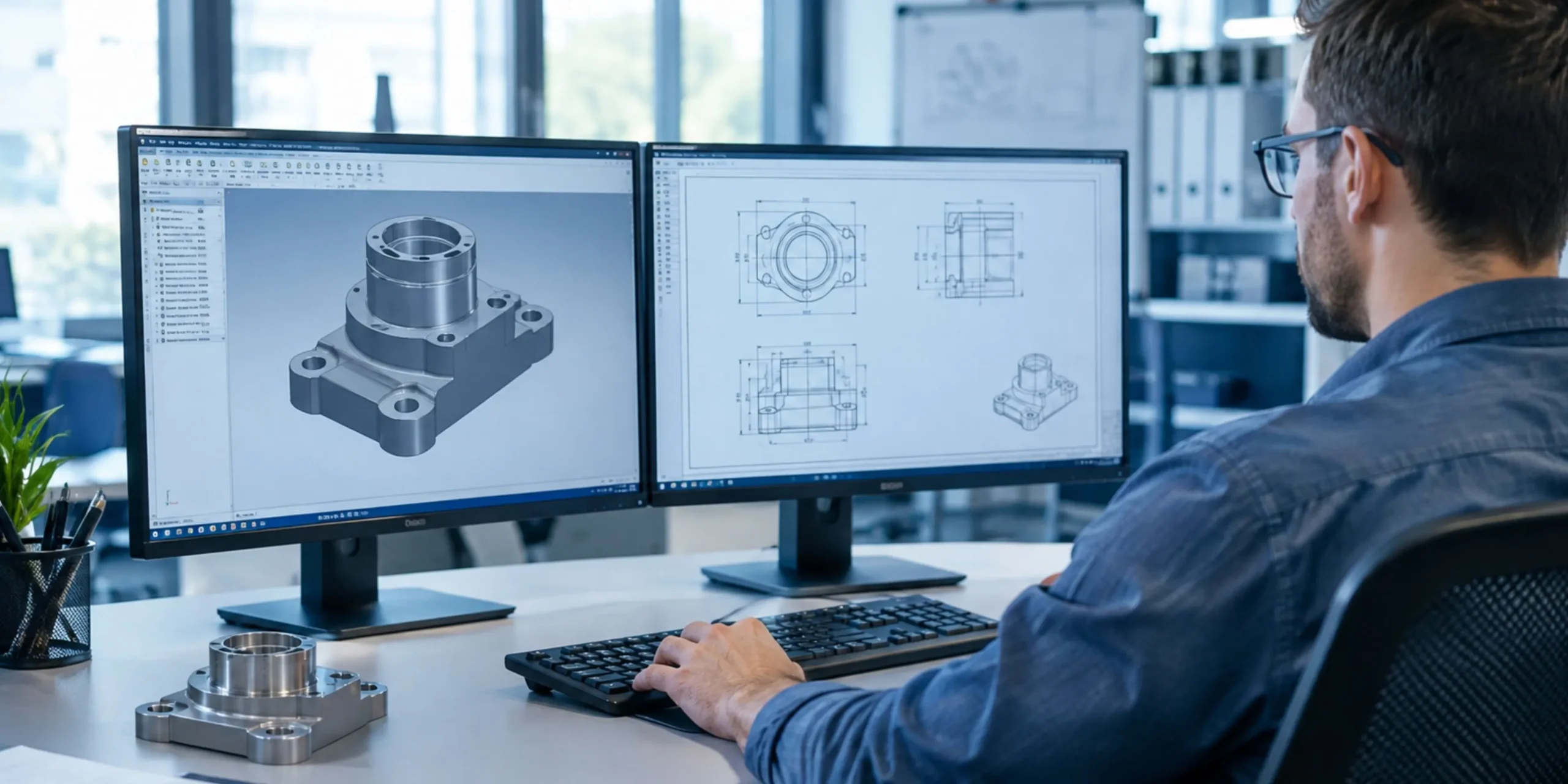
Every great product starts with a clear drawing. Machinists, fabricators, and inspectors all depend on it. If the drawing is unclear, mistakes follow. That is why Solidworks Drafting matters so much to modern engineering teams. It turns your 3D model into a precise, shop-ready document. It also saves hours of manual work. In this guide, you will learn what Solidworks drafting does, why it supports better 2D drawings, and how to get the most from it.
What Is Solidworks Drafting?
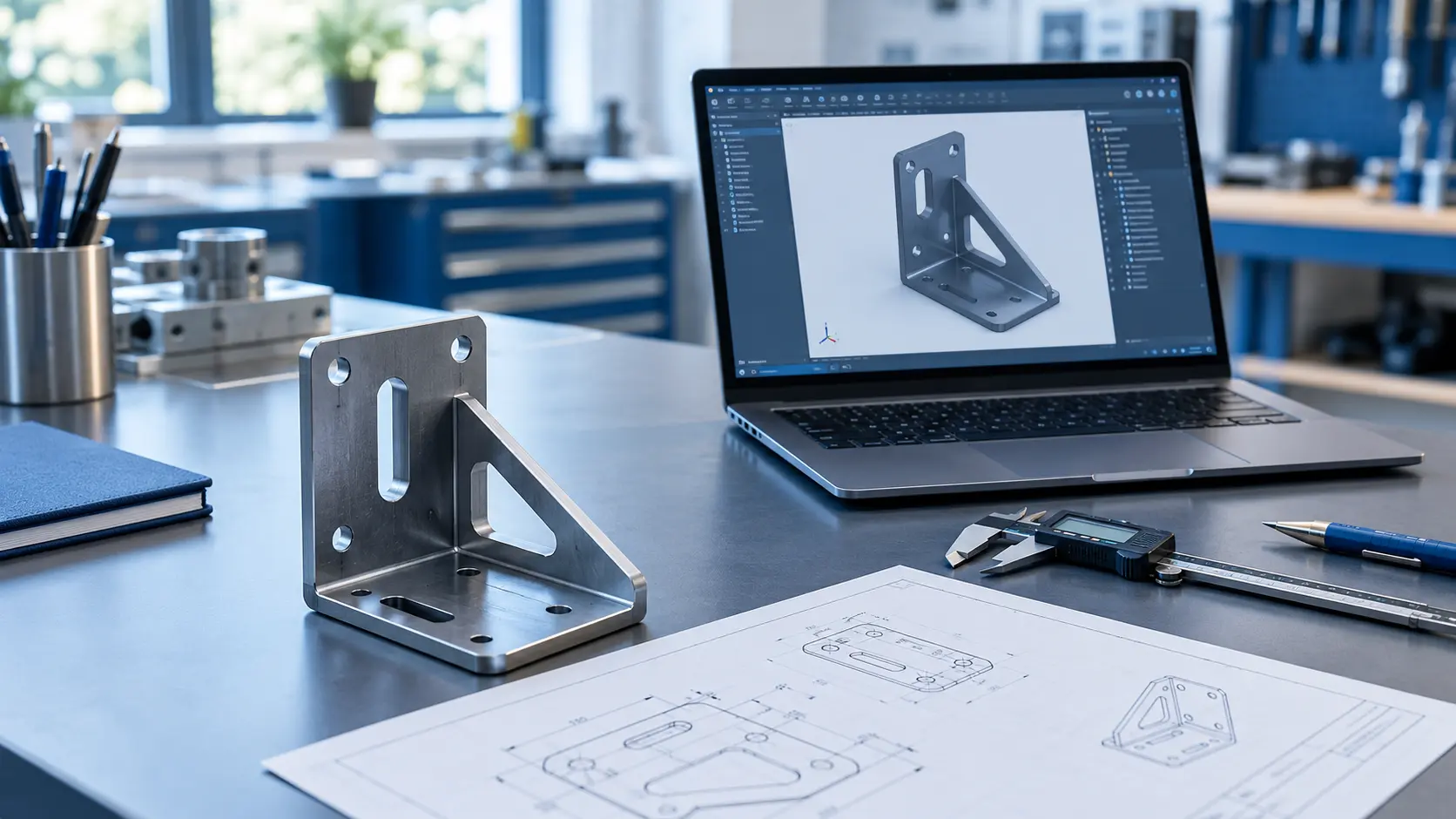
Solidworks drafting is the process of creating 2D engineering drawings from 3D parts and assemblies. You build the model first. Then you generate views, dimensions, notes, and tables directly from that model.
The drawing and the model stay linked. When you change the model, the drawing updates. This link removes one of the biggest risks in design work: outdated documentation.
Engineers use Solidworks drafting to produce:
- Part drawings with full dimensions and tolerances
- Assembly drawings with balloons and bills of materials
- Exploded views for assembly instructions
- Detail views for small or complex features
- Section views that reveal internal geometry
Why 2D Drawings Still Matter in a 3D World
Some people say 3D models make drawings obsolete. That claim does not hold up in real production. A 3D model shows shape. A 2D drawing shows intent.
Drawings Communicate Requirements Clearly
A model cannot show every requirement on its own. Tolerances, surface finish, material notes, and inspection points all live on the drawing. Your supplier reads these details before cutting any metal.
Drawings Serve as Legal and Quality Records
Many industries require a formal drawing for contracts and audits. Quality teams also measure finished parts against the drawing. A clean drawing protects both the buyer and the maker.
Drawings Work Without Special Software
Not every shop floor has CAD software. A printed or PDF drawing works anywhere. Operators can mark it, measure from it, and file it easily.
Key Benefits of Solidworks Drafting
Solidworks drafting gives you more than a picture of your part. It gives you speed, accuracy, and control. Here are the main benefits.
Automatic Updates From the 3D Model
You change a hole diameter in the model. The drawing updates right away. You no longer need to redraw views or fix dimensions by hand. This feature alone saves significant time on every project.
Fewer Errors and Less Rework>
Manual drafting invites mistakes. A missed dimension or a wrong view can scrap an entire batch. Solidworks pulls dimensions straight from the model, so the numbers stay accurate. Your team spends less time fixing problems and more time building products.
Faster Turnaround Times
Solidworks creates standard views in seconds. You drag a view onto the sheet, and the software does the projection work. Designers finish drawing packages sooner and meet tight deadlines with less stress.
Consistent Company Standards
Templates keep your drawings uniform. Title blocks, fonts, line styles, and sheet sizes stay the same across every file. Your customers see a professional, consistent brand each time.
Core Features That Power 2D Drafting in Solidworks
Strong 2D drafting in Solidworks relies on a handful of features. Learn these well, and your drawings improve fast.
Model Views and Projected Views
Model views place the front, top, or isometric view of your part on the sheet. Projected views then create the other sides. You get a full set of orthographic views with a few clicks.
Section and Detail Views
Section views cut through a part to show hidden features. Detail views zoom in on small areas. Both tools help the reader see what a normal view hides.
Model Items and Smart Dimensions
You can import dimensions from the model using the Model Items tool. Smart Dimension lets you add more where needed. Together, they give you full control over what appears on the sheet.
Annotations and GD&T
Solidworks supports notes, surface finish symbols, weld symbols, and geometric tolerances. These annotations tell the manufacturer exactly how to build and inspect the part.
Bill of Materials and Balloons
Assembly drawings need a parts list. Solidworks builds a BOM automatically from the assembly. Balloons link each part on the drawing to a line in the table.
How Solidworks Drafting Supports Manufacturing
A drawing only has value if the shop can use it. Solidworks drafting helps manufacturers in several practical ways. It reduces questions from the floor. It clarifies tolerances before machining starts. It also speeds up quoting because suppliers can see the full scope at a glance.
If you want a deeper look at this topic, read this guide on how Solidworks drafting helps manufacturing drawings. It explains how clear drawings cut production delays and improve part quality.
Best Practices for Effective Solidworks Drafting
Good tools still need good habits. Follow these tips to raise the quality of every drawing.
Start With a Clean 3D Model
The drawing can only be as good as the model behind it. Fix sketch errors first. Name features clearly. Apply the correct material before you begin drafting.
Use Templates and Standards
Create a drawing template that matches your company standard. Include your title block, units, and preferred fonts. Set the drafting standard, such as ASME or ISO, at the start.
Choose Views With Purpose
Do not add views just to fill space. Each view should answer a question. Show only what the manufacturer needs to build and inspect the part.
Keep Dimensions Clear and Uncluttered
Place dimensions outside the part outline when possible. Avoid stacking too many dimensions in one area. Group related dimensions together, and never repeat the same dimension twice.
Review Before Release
Check every drawing before it leaves your desk. Confirm tolerances, notes, and revision levels. A short review can prevent an expensive mistake.
Common Mistakes to Avoid
Even skilled designers slip up. Watch for these common problems:
- Missing tolerances: Machinists then guess, and guesses cost money.
- Overcrowded sheets: Too much detail makes the drawing hard to read.
- Ignoring revision control: Old drawings cause the wrong parts to get made.
- Inconsistent units: Mixed units create confusion and scrap.
- Skipping the title block details: Missing material or finish data leads to delays.
Final Thoughts
Clear drawings protect your schedule, your budget, and your reputation. Solidworks drafting gives you a fast, accurate way to produce them. It keeps your 2D drawings tied to your 3D models and cuts errors before they reach the shop floor.
Need expert help with your drawings? Explore our 2D drafting services to see how a skilled team can support your projects. You can also follow us on LinkedIn for design tips, updates, and industry insights.