
Understanding Inventor CAM Service and Its Benefits for Manufacturers

Manufacturing teams face constant pressure to deliver parts faster without sacrificing quality. An Inventor CAM Service gives engineers a direct path from 3D design to machine-ready toolpaths, all inside one familiar workspace. This article explains what the service does and why manufacturers rely on it. It also shows how the right setup cuts costs and speeds up production, whether you run a small job shop or a large production floor.

What Is Inventor CAM Service?

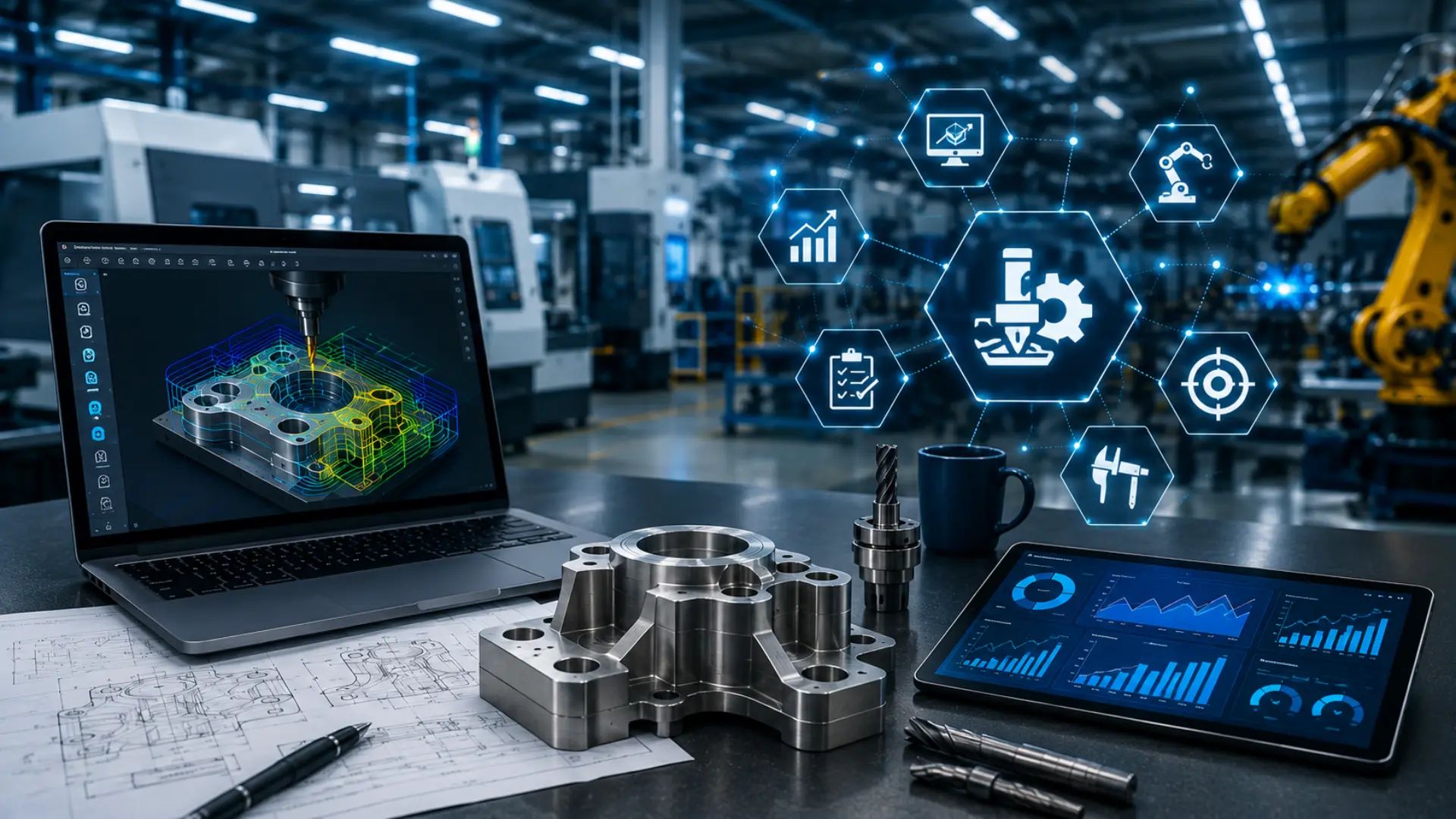
Inventor CAM Service is a manufacturing tool built directly into Autodesk Inventor. Engineers move from design to machining without exporting files to a separate program. The software reads native Inventor models, so any design change updates the toolpath automatically. This tight connection between design and manufacturing removes a common source of shop floor errors.

Teams using CAM Service can programme mills, lathes, and multi-axis machines from a single workspace. The platform supports 2.5-axis, 3-axis, and 5-axis milling, along with turning operations. Because everything lives inside Inventor, operators skip the file conversion step that often causes lost data or broken geometry. More than 70% of advanced manufacturing facilities worldwide now use some form of integrated CAM software for their CNC operations.

Why CAM Service Matters for Modern Manufacturers

Manufacturers face steady pressure to deliver parts faster and at lower cost. Skilled machinists remain hard to find – U.S. manufacturing had roughly 495,000 job openings as of January 2026, up 11% year-over-year, with CNC programmers and machinists among the hardest roles to fill. Customers expect shorter lead times each year. A strong CAM Service addresses these pressures head-on.

The software cuts programming time through associative models. When a part changes, the CAM strategy updates instead of restarting from scratch. This single feature saves hours during every revision cycle, especially on complex assemblies with frequent design tweaks.

Quality improves too. Built-in simulation catches collisions and programming errors before a machine ever runs a part. Shops that add toolpath simulation and verification before cutting commonly report scrap rate reductions of up to 30%. Fewer surprises on the floor also mean operators spend less time troubleshooting and more time producing finished parts.

Customer expectations keep rising as well. Buyers want shorter lead times, tighter tolerances, and lower prices all at once. Manufacturers stuck with outdated, disconnected workflows struggle to meet these demands. Shops using an integrated CAM Service adjust and deliver much faster.

Inventor CAM Service: The Data

The advantages of integrated CAM aren’t just anecdotal. Here’s what current industry benchmarking shows:

30–50%

Reduction in CNC programming time from automated, associative CAM workflows versus manual re-programming.

Source: Business Research Insights, CAM Software Market Report (2026)

Up to 75%

Programming time reduction AI-assisted CAM can deliver on complex, multi-axis parts, versus building strategies from scratch.

Source: Dassault Systèmes / manufacturing AI benchmarks (2026)

495,000

U.S. manufacturing job openings as of January 2026 — up 11% year-over-year, with machinists and programmers among the hardest roles to fill.

Source: U.S. Bureau of Labor Statistics, JOLTS

Up to 30%

Typical cut in scrap rate when shops add toolpath simulation and verification before parts reach the machine.

Source: CNC machining industry benchmarks (2025–2026)

Programming Time Saved, by Part Complexity

The more complex the part, the more an integrated, associative CAM workflow pays off:

Standard 2.5–3 axis parts
30–50% faster programming
Complex multi-axis / 5-axis parts
40–75% faster programming


Curious how much programming time your shop could get back?

Explore Inventor CAM Service with KEYWAY →


Key Benefits of Inventor CAM Service for Manufacturers

The advantages of adopting CAM Service extend across design, production, and cost management. Manufacturers notice these benefits first.

Faster Programming and Shorter Lead Times

The associative link between design and toolpath removes duplicate work. Programmers build a strategy once, and updates happen automatically as the design evolves. Shops report shorter turnaround on both prototypes and production runs, which helps teams meet tight customer deadlines without adding staff.

Fewer Errors on the Shop Floor

Built-in simulation displays the full machining sequence before it reaches the machine. Operators catch tool collisions, incorrect feeds, and gouges early in the process. This visibility reduces scrap rates and keeps machines running instead of sitting idle for rework.

Stronger Collaboration Across Teams

Design and manufacturing teams work inside the same file. Engineers no longer wait for a separate CAM department to translate their model into a toolpath. Everyone views the same data, which speeds up communication and reduces miscommunication between departments.

Support for Complex Geometry

Multi-axis machining strategies handle complex parts that older systems struggle to process. Aerospace, medical device, and precision tooling manufacturers benefit most from this capability. Their parts often carry tight tolerances and unusual shapes that demand careful toolpath planning.

Lower Overall Production Costs

Combining design and CAM into a single platform cuts software licensing costs. Teams also spend less time training staff across multiple systems. Over time, these savings accumulate across a shop’s entire operation, freeing up budget for new equipment or additional projects.

Industries That Rely on CAM Service

Different industries lean on CAM Service for different reasons, but the core advantage stays the same: faster, more accurate machining with fewer errors.

Aerospace and Defense

Aerospace parts often carry tight tolerances and complex curved surfaces. CAM Service handles these shapes through multi-axis toolpaths that keep accuracy high while cutting programming time. Defense contractors also value the simulation step, since it catches mistakes before expensive raw material gets machined.

Medical Device Manufacturing

Medical components demand precision down to fractions of a millimetre. CAM Service supports the small, intricate toolpaths these parts require. The associative design link also helps teams respond quickly when a revision arrives mid-production.

Automotive and Industrial Tooling

Tooling manufacturers produce moulds, dies, and fixtures with detailed surfaces. CAM Service speeds up this work through reusable machining templates, so programmers do not rebuild strategies from scratch for every similar job.

Common Challenges Manufacturers Face Without CAM Service

Shops that rely on separate design and CAM software often run into avoidable problems. File conversion between systems can corrupt geometry or strip out design details, forcing programmers to rework models by hand.

Version control also becomes difficult. When a design changes, someone has to update the CAM file separately. This manual step often gets missed under deadline pressure. The result is a part machined from outdated data, which leads to scrap and delays.

Training adds another layer of difficulty. Staff who juggle multiple software platforms need more time to become proficient, and mistakes happen more often during the learning curve. An integrated CAM Service removes these friction points by keeping design and manufacturing in one connected environment.

Getting Started with Inventor CAM Service

Manufacturers considering CAM Service should start by reviewing their current parts and machines. Identify where programming time runs long or where errors show up most often, since these areas usually see the biggest improvement first.

Next, involve the people who will use the software daily. Machinists and programmers can point out practical requirements that a management-level review might miss, such as specific post-processors or fixture setups.

Finally, plan for a phased rollout instead of switching everything at once. Running CAM Service alongside existing processes for a short period lets teams compare results and build confidence before a full transition.

How KEYWAY Supports Manufacturers with CAM Service

Not every manufacturing team has the time or in-house expertise to master CAM software on their own. KEYWAY works directly with manufacturers to implement, customise, and optimise CAM strategies inside Inventor. The KEYWAY team brings hands-on machining experience, so recommendations come from real shop floor knowledge rather than theory alone.

Manufacturers partnering with KEYWAY gain access to tailored training, custom post-processors, and ongoing technical support. This partnership approach means shops receive a CAM Service built around their actual equipment and parts. It is never a generic template pulled from a manual.

Companies that adopt this approach often see machining times drop within the first few projects. Support does not end at setup either. KEYWAY continues refining strategies as new parts, materials, and macFinal Thoughtshines enter production, so the system keeps improving alongside the business.

Choosing the Right CAM Service Partner

Picking a CAM Service provider affects a shop’s daily operations for years, so the decision deserves careful thought. The right partner becomes an extension of your team. The wrong choice leaves a shop stuck with software nobody fully understands.

Look for Real Machining Experience

Manufacturers should choose a partner with a direct machining background, not just software knowledge. A provider who understands cutting tools, materials, and machine dynamics builds stronger strategies than one who only knows the interface.

Prioritise Responsive Support

Machines run every day, so a shop needs a partner who responds quickly when issues appear. Delayed support can stall production and push back delivery dates, so response time deserves as much weight as software features.

Invest in Proper Training

Operators and programmers need confidence using new tools without constant hand-holding. A partner who provides thorough, ongoing training helps teams get full value from the software. Otherwise, shops end up using only a fraction of its capability.

Weigh Long-Term Value Over Sticker Price

Cost matters, but the cheapest option rarely delivers the best value. Shops should compare long-term savings from reduced scrap, faster programming, and fewer machine stoppages against the upfront investment before signing any contract.

Final Thoughts

CAM Service inside Inventor gives manufacturers a direct path from design to production. It shortens programming time, reduces shop floor errors, and helps teams handle complex parts with confidence. Manufacturers who invest in the right setup and choose an experienced partner see measurable returns in speed, quality, and cost savings. Sharing practical CAM insights on LinkedIn can also help manufacturers stay informed about new production strategies and industry developments.

Every shop has different needs. The best next step is a conversation about your specific parts, machines, and production goals, so reach out to see how a tailored CAM Service could fit your operation.

Top 10 Issues Fixed Instantly With A Remote CAM Service (Plus How It Works)

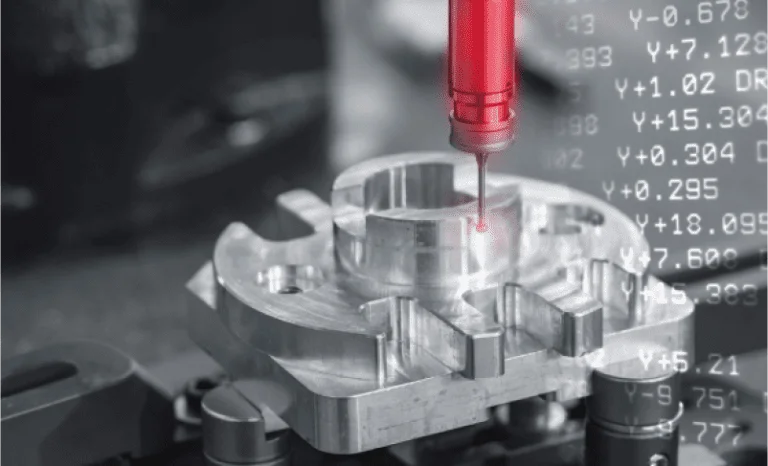
Remote CAM services are altering the ballgame for manufacturers. You need not fret over having to figure out the intricate programming code or deal with downtime; you can outsource your CAM (Computer-Aided Manufacturing) tasks to professionals who can remotely connect to your systems. They solve problems quickly in minutes, and your production is not fiddled with.

The blog goes deep into the top 10 most prevalent manufacturing issues that are addressed by a Remote CAM Service immediately, and provides a straightforward explanation of how the service can be used.

Top 10 Issues Fixed Instantly With A Remote CAM Service

Manufacturers are faced with continuous CAM issues that hamper production and waste time. Remote CAM services have secure remote access that will be used to tweak your software, optimise toolpaths and get machines online again.

The 10 most important problems they address immediately are as follows:

Crashed Computer-Aided Software Or Frozen Programs

In case you are doing an important job, and your CAM software suddenly goes dead. The remote expert will log in, reboot processes, delete errors, and be able to restore your setup in less than 10 minutes; you do not need to restart your whole system and waste hours of work.

Incorrect Toolpaths Causing Collisions

Some toolpaths are in error, which may cause machine crashes or scraped parts. The service emulates and fixes paths in real-time and cuts safely and efficiently, which perfectly match your CAD drawing.

Long Machining Times Slowing Production

The programming is inefficient, so the jobs are forever. Professionals remotely optimise the speeds, feeds and paths which reduce the cycle times by 20-50% without you even lifting a finger.

Poor Surface Finish On Parts

Smart appearances or chatter marks destroy quality. Distantly altered finishing plans, stepovers and tool selection provide a smooth finish on the subsequent run.

Error Codes And Machine Alarms

A regular alarm cuts off your CNC machines. The service deciphers errors, modifies parameters, and erases them remotely to have you back in a matter of moments.

Set Up Errors For New Jobs

Job changes cause the misalignment of the offsets or the fixturing. Setups are verified and programmed through remote access by experts, and hours of trial and error are saved on the shop floor.

Incompatible Post-Processors

The output of your CAM does not correspond with the controller of your machine. One of the quick remote fixes is a code that creates the correct code that avoids running tests and compatibility nightmares.

Spindles Or Tools Overheating

Poor parameters lead to the quick wearing of tools. Adjustments are made to the chiploads and coolant settings instantly in case of damage and to increase the life of the tool.

High-Volume Runs Infrastructure

Your team is overburdened with programming numerous similar parts. Automates programs, scales production without requiring personnel, and provides batches of remote services.

Emergency Rush Jobs With Tight Deadlines

A huge order is at the last minute. Professionals create entire CAM programs based on your CAD files in a single night or even in the same day and make stress a success.
The reason behind these fixes is that remote CAM providers are well versed with the popular software such as Mastercam, Fusion 360 or SolidCAM. They enter your system without any problem, they change, and they also test simulations before you execute anything.

Remote CAM Service Wins In The Real World

Firms that apply such services enjoy huge profits. After repairing tools paths remotely, one of the shops saved 40 per cent of the downtime. A second reduced the time spent on custom parts from days to hours. It has such benefits as reduced scrap rates, satisfied customers, and increased machine uptimes without recruiting additional programmers.

The Step-By-Step Guide To How Remote CAM Service Works

Wondering how it is all going on, and no one ever came to your factory? Remote CAM service is easy, safe and expeditious. The process follows the following steps:

Step 1: Quick Connection Setup

You put a secure remote access tool such as TeamViewer, AnyDesk or a VPN on your CAM workstation. Upload your CADs and machine information through a portal or email. Hardware-independent, so no changes to hardware are required.

Step 2: Expert Diagnosis

The technician of your service provider links (with your authorisation) and examines the problem. They monitor toolpaths, simulations and machine data in real-time, reporting problematic issues such as bad feeds or geometry errors.

Step 3: Real-Time Resolutions & Optimisation

They remotely reprogram toolpaths, make virtual simulations, and make changes to settings using your CAM software. Modifications are instantly transferred into your machine controller. They use the high-speed plans or the multi-axis movements in complex jobs.

Step 4: Testing And Handover

The specialist is doing all this through a dry run simulation. You receive updated files, a report of what changes have occurred and hints on how to prevent future problems. The production just continues immediately – usually when you are still on the call.

Step 5: Ongoing Support

A significant number of services are available on a 24/7 basis, have monthly retention, or are available as pay-per-fix. Monitor performance using dashboards, which are displayed in terms of uptime and efficiency improvements.
Security is first in the priority list: End-to-end encryption, two-factor authentication, and recordings of the sessions are used. Your information remains on your machines – only the experts see and make changes at all.

Why Choose Remote CAM Over In-House Or On-Site Help?

Traditional fixes imply waiting to have a specialist come to the organisation, which costs thousands of dollars in travel and time lost. Remote service provides 24/7 service around the globe, at a fraction of the cost (usually, it is $100-300/hour). It suits well in small stores that do not need a full-time professional programmer or big companies that may require an overflow programmer.
Also, it is scalable: Deal with a single one-off repair or complete production code. Most providers did not need any long-term contracts.

The Future Of Remote CAM Services

Remote CAM is developing in an Industry 4.0 environment. AI-driven optimisations, cloud-based CAM in support of real-time scaling and integration with IoT sensors to provide predictive fixes, are to be expected. The manufacturers who will remain afloat will depend on these services to maintain quality at low costs. Remote CAM services resolve your biggest manufacturing headaches in real-time, increasing efficiency and profits. They are the ingenious solution to contemporary shops, be it in the form of crashed software or hurried work. Ready to try it? A reliable provider like Keyways can be contacted today, and your production will take off. To know more about the services provided, visit our LinkedIn.

How to Reduce Manufacturing Costs Using An Advanced Nesting Service

One of the main concerns of any business that wants to compete in the competitive modern market is to reduce its manufacturing costs. This can be best attained by adopting a sophisticated nesting service in your manufacturing procedure. This blog post discusses the functionality of such a complex nesting technology, why it results in high cost savings, and how both big and small manufacturers can benefit by opting for this move.

What Is An Advanced Nesting Service?

Advanced Nesting Service is a kind of software system that provides an optimal effort to the layout of parts that will be cut out of the raw materials metal, wood, glass, or fabric. Nesting software can automatically find the most efficient arrangement of parts, as compared to arranging them manually, which is slow and prone to error. The nesting service assists manufacturers by creating a strict parts inventory to save on materials and reduce waste, and increase throughput.

Optimizing The Materials Usage

The enhanced usage of materials is among the main advantages of high-tech nesting. All of the wastage is an unwanted expense, and the less effectively you can utilize your raw material means the less money you will save. Nesting software follows complex algorithms in order to make sure the parts are organized in a manner that results in minimal scraps. This may mean a few percentage points of material savings to many manufacturers – even 5-10%.

Cost-saving in materials directly affects the profitability, particularly when there is a fluctuation in the raw material prices. In the long run, a constant increase in the yield rate implies that the amount of waste is reduced to recycling or the landfill, and the amount of money allocated to purchasing materials necessary to create the same volume of work gets smaller.

Increased And Quicker Production

Nesting software also enhances speed and uniformity of production, besides material saving. Manual part layout may consume hours, particularly in complicated projects. Through nesting software, this task is automated, and manual layout is not required, as it does not lead to human error. This allows firms to manufacture more parts within a shorter period of time, and the time taken to satisfy a customer decreases as well.

By complex automation, employees will be able to concentrate on more valuable activities, as opposed to wasting time on manual layout planning, which is time-consuming. Not only does this shift create productivity, but it can also reduce labor expenses, as manual work will be minimized in terms of time spent on it.

Scrap And Waste Disposal Costs Reduction

All manufacturing processes are concerned with scrap, yet excess scrap is expensive. In the case of advanced nesting, waste is greatly reused not only due to smaller packing of parts but also due to the ability of the software to reuse the previous scrap remnants in upcoming tasks. This ultimately causes a decrease in the cost of raw materials as well as the cost of disposing of or recycling waste products.

The more sophisticated nesting services like CAMworks Nesting can even be linked to the inventory management system to trace and re-use the remaining pieces, which leads to an even better efficiency and saves the necessity to buy new raw materials.

Higher Throughput And Productivity Of Machines

This can also be enhanced by a powerful Nesting Service to enhance overall equipment effectiveness (OEE), which can be achieved by making sure that machines dedicate more time to cutting and less time waiting until layouts have been prepared. Indicatively, machine time has been cut by more than 10% due to increased nesting and motion optimization by some companies. Increased throughput not only enhances productivity but also enhances the capacity of the manufacturer to deliver on time and receive more orders.


demonstration of high powered computer system. computer chips powering supercomputers


Lower Labor And Setup Costs

The state-of-the-art software ensures that the entire nesting process is automated, and this saves labor and hours that the company would have employed highly skilled people to arrange the parts manually. This makes labor costs less and enables competent engineers and machine operators to concentrate on other production priorities. Moreover, setup times are decreased as workers do not have to interrupt as much to restart machines, which results in further cost reduction, as well as the number of necessary stop and reset operations of machines is reduced, thus saving more money.

Faultless Interconnection With The Production Systems

The Solidworks Cam Service software is modern and is aimed at working with CAD, CAM, and ERP systems in place. Regardless of what equipment is used: plasma cutters, lasers, routers, or others, the appropriate nesting software can automatically supply design files and material data, and the production process becomes more efficient, and the risk of error caused by manual data input is minimized. This integration is important to manufacturers who have several machines or intricate workflows, to enable every part of the production process to flow smoothly. It is possible to schedule orders in a more precise way and identify and solve production bottlenecks much faster.

Multi-Order And Remnant Nesting To Get Even More Savings

The next level is advanced nesting services, which provide such features as multi-order nesting – parts of multiple work orders are nested together into one nest – and remnant nesting, which recycles unused materials effectively. These characteristics result in further savings as the utilization of materials used on every task is maximized, as opposed to each order being treated as a different case, as was before.

Real Life Savings Example

Take the example of a metal fabrication shop that used to analyze all the parts manually. Once they had switched to an advanced nesting service, their scrap rate decreased by 7 percent, and their machine set up times became almost 15 percent less; and half the labor spent on layout was realized. All this saved money equated to a considerable decrease in the total cost of manufacturing quality products.

Getting Started With Advanced Nesting:
These are the action steps to initiate cost reduction in the manufacturing cost:

➔ Examine your present degree of waste and handwork in the apportionment of parts.
➔ Establish nesting solutions that are associated with your existing machine(s) and software.
➔ Conduct pilot projects on which to compare on savings of material and the improvement of the process.
➔ The nesting service can be established as part of your routine workflows by training your team.

Conclusion

One of the quickest and simplest means of reducing the costs of manufacturing is implementing an advanced nesting service. With the material waste reduction, labor and setup reduction, and maximum machine efficiency, nesting solutions are worth their money, even in the small and mid-sized shops. Advanced nesting technology is an effective means of creating a leaner competitive operation in the market where even a one percent variance of savings can count. Keyways offers you advanced nesting service to help ease your manufacturing process by cutting costs. For more information on services, visit our LinkedIn.