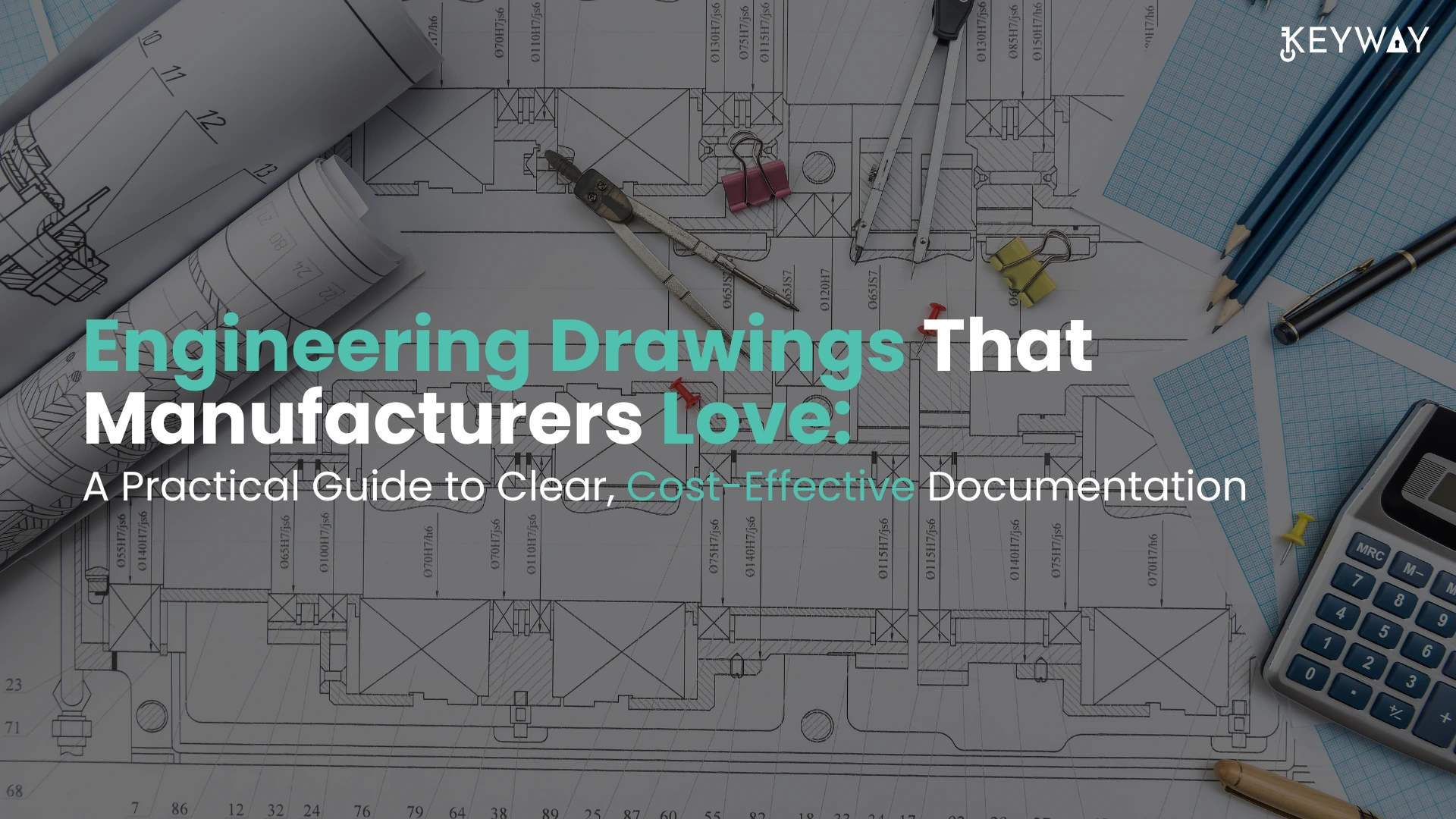
Engineering Drawings That Manufacturers Love: A Practical Guide to Clear, Cost-Effective Documentation

In the production field, a product is as good as the drawing that is an engineering definition of the product. Although CAD software today provides engineers with the capability to develop sophisticated 3D designs, engineering drawings are still well developed and utilized by production teams to produce parts with high precision and efficiency. The low quality of the drawn is, unfortunately, one of the most frequent reasons of delays in the production, quality problems, and high cost of production. 

Manufacturers are prone to poor drawings, vague tolerances, lack of specifications, and ambiguous dimensions. These issues slack the manufacturing process and result in repeated inter-communication between engineers and the shop-floor teams. With clear, structured, and practical drawings, the manufacturers are able to manufacture parts more quickly, and with minimal mistakes and reduced expenses. 

This is a guide on how to design engineering drawings that manufacturers are thrilled about-documents that convey the design desire clearly and avoid ambiguity and assist in efficient production. 


Why Clear Engineering Drawings Matter in Manufacturing 

Engineering drawings provide a transition between design and manufacturing. Their task is to take design intent and convert it into operational instructions that can be followed by machinists, fabricators, welders and quality inspectors. Where such communication is not clear, then there will be production problems. 

The slightest detail that is missed in a drawing can lead to significant manufacturing problems. As an illustration, uncertainty in the tolerance would force the production teams to stop working and seek clarification. Absence of surface finish requirements can lead to poor quality of products. When the dimensions are not clear, then either scrap parts or expensive rework may be as a result. 

Beyond the advantages that manufacturers gain in the event that drawings are well-structured and complete they have: 

  • Faster production setup 
  • Reduced machining errors 
  • Lower scrap and rework rates 
  • Better consistency of products. 
  • Increased interaction between manufacturing and design teams. 

Finally, good drawings minimize the friction in manufacturing and enhance the efficiency. 

The Role of Engineering Drawings in Cost Control 


When designing products, many engineers are interested in product performance, however documentation quality is an important factor in the cost of manufacture. The poor documentation usually results in unaccounted costs like the delays in production, redundant checks, and unwarranted machining processes. 

Detailed drawings enable production departments to know exactly what should be produced and how accurate every detail should be. This will avoid over-processing and also unnecessary tight tolerances. 

Cost wise, good documentation assists the manufacturers: 

  • Choose the right machining strategies. 
  • Eliminate unnecessary precision requirements. 
  • Avoid production guesswork 
  • Reduce the delay in communication. 

Properly developed drawings eventually foster Design for Manufacturing (DFM) philosophy in that the design is usable on the shop floor and is efficient. 


Key Elements of Manufacturer-Friendly Engineering Drawings 

To create drawings that manufacturers truly appreciate, engineers must focus on clarity, completeness, and practicality. Several key elements determine whether a drawing is easy or difficult to interpret. 


  1. Clear and Logical Dimensioning

The presentation of dimensions is one of the most significant issues of an engineering drawing. The incorrectly located or unnecessary dimensions’ cause confusion and the possibility of errors in machining. 

The part should be defined clearly in all dimensions without requiring the machinists to do some computations on the missing values. All the critical features should be measurable and have a clear datum point of reference. 

Engineers must consider the following pragmatic rules when making dimensions: 

  • Locate dimensions external to the part as much as possible to enhance readability. 
  • Do not duplicate dimensions that can give conflicting meanings. 
  • Reference dimensions of uniform data. 
  • Be sure that necessary features needed to manufacture are defined. 

Error-free dimensioning minimizes errors during interpretation and accelerates the process of machining setup. 


  1. Functional Tolerance Instead of Over-tolerance 

One of the most important decisions in an engineering documentation is the tolerance specification. Unluckily, tolerances are unnecessarily tight in many of the drawings which adds to the cost of manufacturing but does not add any functionality. 

All the dimensions do not demand high precision. Features that will have an impact on performance, assembly fit, or safety should only be tightened. Variables that are not critical are to be given reasonable variation. 

Tolerances are also tighter than required, then machining speeds will have to be slower and further inspection measures are needed. This makes the production time and cost high. 

An artist-friendly drawing guarantees that tolerances are used reasonably and on demand only. Functional tolerance enhances efficiency in manufacturing products and improving product quality. 


  1. Clear Surface Finish Specifications

The machining methods and time of production is directly affected by surface finish requirements. When the drawings contain case-wise surface finishes they often contain unnecessarily fine areas on the surface finish of entire parts. 

Engineers ought to identify the surfaces which do impact on the performance instead of defining tight finishes everywhere. As an example, better finishes are generally needed on sealing surfaces, sliding interfaces, bearing contact areas, and other areas can easily be left with a standard machine finish. 

Clear surface finish specifications would assist the manufacturers to choose the right machining plan, as well as prevent unnecessary surface finishing operations. 


  1. Material and Treatment Specifications

The manufacturers rely on drawings to know precisely what material should be utilized and whether any other treatment is necessary or not. Lacking or poor material specifications may lead to delays in procurement and confusion in production. 

On a good engineering drawing, it is clearly defined: 

  • Material grade and standard 
  • Heat treatment specifications. 
  • Surface coatings or plating 
  • Hardness or mechanical property specifications. 

The provision of such details will guarantee the end product to be of functional and durable features. 

  1. Readable Layout and Organized Information

Even technically correct drawings would turn tough to decode in case they are not arranged well. Congested drawings containing too many notes, overlapping sizes and views can be disorienting to production teams. 

Decipherable drawings are based on a systematic pattern that is more concerned with clarity. 

The following are some common practices concerning formatting: 

  • Keeping sufficient distance between dimensions. 
  • The utilization of unvarying text size and the forms of annotations. 
  • Organizing notes logically 
  • Offering clear section views of complicated features. 

An organized and well-arranged drawing layout carries the machinists and fabricators to learn the design intent within a short time. 


Common Engineering Drawing Mistakes That Frustrate Manufacturers 

Even seasoned engineers occasionally come up with drawings that end up making it more difficult to manufacture. The knowledge of typical mistakes in documentation may allow avoiding the expensive production problems. 

The common issues are: 

  • The absence of dimensions or geometry definitions. 
  • Intersecting dimensions that decrease readability. 
  • Unjustified excessive tolerances. 
  • Absence of datum reference points of essential measurements. 
  • Lacks of notes on surface treatment or finishes. 
  • Indistinct or archaic revision information. 

These errors usually lead to delays in production, clarification, and possible quality problems. 

Manufacturers like to have drawings which are clear and not subject to interpretation. 

Best Practices for Creating Cost-Effective Engineering Drawings 

To ensure drawings are both clear and manufacturing-friendly, engineers should adopt a documentation mind-set that prioritizes practicality. 

Several best practices can significantly improve drawing quality: 

  • Review drawings from a machinist’s perspective before release 
  • Conduct internal drawing reviews within the engineering team 
  • Follow established drafting standards consistently 
  • Use standardized symbols and GD&T conventions 
  • Communicate with manufacturing teams during design development 

By incorporating feedback from production teams, engineers can continuously improve documentation quality. 


How Engineering Drawings Support Efficient Production 


Clarity of drawings does not only specify the size but also assists production groups in strategizing machining plans, developing fixtures and devising inspection plans. Drawing conveying design intent can be useful in creating a manufacturing process that is faster and more predictable. 

As an example, a clear datum structure enables machinists to index parts without errors and to maintain measurements. This is because clearly defined tolerances assist quality inspectors with the determination of whether the parts comply with specifications without the undue complexity. 

On the contrary, ambiguous drawings compel manufacturers to make assumptions, thus, putting more risk and variability in production. 

Good documentation enhances effective working process of raw material preparation to the end product inspection. 


The Importance of Collaboration Between Design and Manufacturing 


When design teams work closely with manufacturing teams, engineering documentation is enhanced in many ways. Machinists, fabricators, and quality inspectors are regularly a great source of information on how the drawings can be refined to develop into useful production. 

The early cooperation enables the engineers to: 

  • Determine possible production issues. 
  • Simplify complex features 
  • Optimize tolerances 
  • Enhance the availability of inspection. 

In case of engineering and manufacturing co-operation, there is more realistic drawing and friendly to production. 


The Long-Term Benefits of High-Quality Engineering Documentation 

To produce effective engineering drawings, there is a lot of labor invested, but the benefits of the same are substantial in the long run. Good records enhance efficiency in production and also minimize errors and enhance communication among the departments. 

Companies with emphasis on good documentation tend to have: 

  • Faster production setup 
  • Lower scrap and rework rates 
  • Better consistency of products. 
  • More successful partnering with suppliers. 
  • Minimized engineering change orders. 

Documentation quality may have a direct effect on profitability in competitive manufacturing industries. 


Final Thoughts: Designing Drawings for the Shop Floor 

Engineering drawings must not be designed to only verify the design but should be designed to be manufacturing friendly. The most effective drawings convey design intent and help to sustain the efficient production processes. 

The last, but not the least, question that engineers need to answer before they release any drawing is a simple question, yet a strong question: Can a manufacturer comprehend this drawing immediately and create the part without any misunderstandings? 

When the response is yes, then the drawing is performing its task. 

Well-organized engineering documentation converts the complex designs to manufactured products. By making drawings carefully, manufacturers are able to concentrate on their core competency, which is developing quality products in an effective and reliable manner. 

Technical documents are not the only good engineering drawings. It is their basis of successful manufacturing. 
Design for Manufacturing (DFM) vs Design for Assembly (DFA): What Designers Often Get Wrong

In product design and engineering, it is one half to design a part that would be good in CAD. It is only after the design leaves the screen that the real challenge starts when it becomes a shop floor challenge. Here is where Design for Manufacturing (DFM) and Design for Assembly (DFA) are involved. 

In as much as these two concepts are used interchangeably, they are not synonymous and mixing these two concepts may result in increased costs of manufacturing, delay in production and assembly problems. Most designers unwittingly optimize one and totally ignore the other; to produce designs that are simple to create and hard to put together, or simple to put together and very costly to create. 

In this blog, the differences between DFM and DFA are broken down, the pitfalls designers usually fall into, and both methods are demonstrated to achieve efficient design that is production worthy. 


Understanding Design for Manufacturing (DFM) 

Design for Manufacturing (DFM) is the design of parts so that they can be easily and cheaply and dependably manufactured with the available processes, typically CNC machining, laser cutting, sheet metal fabrication, injection molding, or 3D printing. 

The fundamental objective that DFM tries to achieve is to minimize manufacturing complexity without losing functions. When properly implemented, a DFM strategy will make sure that the manufacture of parts can be handled in an efficient and stable way with limited levels of waste, reworking, and trouble with tools. 

CAD wise, be it SolidWorks, Inventor or any other parametric modelling package, DFM affects such decisions as geometry simplicity, feature choice, material choice, tolerances, and surface finishes. 

Key Principles of DFM 

  • Reduce complicated geometries which demand special tooling. 
  • Use conventional material profiles and thicknesses. 
  • Unnecessary tight tolerances should be avoided. 
  • Design characteristics that are congruent with production. 

DFM worksheet, when designers neglect to observe DFM, manufacturers are required to make alterations to the design – a cost, time and risk addition to the project. 


Understanding Design for Assembly (DFA) 

Design for Assembly (DFA) emphasizes on the ease and efficiency with which the assembly of a product can be done, instead. It also goes beyond the individual components and takes into account the way that the components come together to produce a finished product. 

DFA aims to: 

  • Reduce the number of parts 
  • Streamline assembly line procedures. 
  • Limit the work of handling, rotating and fastening. 
  • Enhance completeness and reproducibility of assembly. 


Good DFA design will allow a design to save on labor costs and assembly time significantly, particularly during high-volume production. 


DFM vs DFA: The Key Difference Designers Miss 

The greatest error that designers commit is to believe that DFM automatically refers to DFA- or vice versa. As a matter of fact, one design may be good in one aspect and bad in the other. 

For example: 

  • One component could be very simple to machine and have five fasteners and difficult to align in the process of an assembly. 
  • Another component may assemble perfectly but it may need costly tooling or complicated machining operations. 

DFM is concerned with efficient production of parts. DFA concerns assembling parts in an effective manner. The two are both indispensable and should not be made to look optional. 

Common Mistakes Designers Make with DFM and DFA 

  1. Designing Only for CAD, Not for Manufacturing

Among the most typical ones is the design with visual symmetry or CAD convenience in mind. Such items as unnecessary fillets, decorative cut-outs or fancy contours might appear impressive in SolidWorks or Inventor, but will just add time and cost in machining. 

Aesthetic attributes not considerably functional to the manufacturer do not earn the manufacturer any pay. Each additional toolpath, setup or operation adds cost. 


  1. Overusing Tight Tolerances

Among cost drivers in manufacturing, tight tolerances take up the greatest share. Tight tolerances have been used by designers as a safety measure, when they are not even aware of the actual effect they can have. 

From a DFM standpoint: 

  • Narrow tolerances are slow to machine. 
  • They make inspection time more. 
  • They might necessitate special machinery. 

This is actually damaging to assembly in a DFA perspective because too many tolerances may be detrimental, particularly when tolerance stack-up is ignored. 

Good design implies to make tight tolerances where they are necessary. 


  1. Ignoring Assembly Sequence During Design

Most designers design parts without even considering how they would be assembling.  

This leads to issues like: 

  • Components that require bending or coercion. 
  • Hardly reachable fasteners. 
  • Assemblies possessing several reorientations. 

The design could go through all the checks of DFM, and fail in actual assembly. DFA has the designers walk through the assembly step-by-step mentally (or digitally). 


  1. Excessive Part Count

The spinning part count is a traditional DFA failure. Designers tend to divide parts in a number of sections to make them easier to model or produce without factoring in the assembly effect. 

Each additional part: 

  • Adds handling time 
  • Enhances the possibility of errors in assembling. 
  • Increases complexity of inventory and logistics. 

The combination of parts or designing of multi-functional parts is better to enhance the efficiency of assembly as well as improve the long-term reliability whenever possible. 


  1. Poor Fastener Strategy

The fasteners are sometimes perceived as a second thought. The Designers combine various forms of screws, lengths, and tools-increasing the time and errors made in assembly. 

Good practice in DFA promotes: 

  • Standardizing types of fasteners. 
  • Reducing fastener count 
  • Applying self-locating or snap-fit where necessary. 

It does not only enhance the process of assembly, but also minimizes procurement and maintenance. 


How DFM and DFA Work Together in Practice 

The most successful products would strike a balance between DFM and DFA in parallel, and not as two different stages. 

For example: 

  • The machined part (DFM) may be simplified in order to be self-locating during assembly (DFA). 
  • DFM may be avoided by reducing the number of parts (DFA). 

With the help of the modern CAD, such as SolidWorks and Inventor, it is becoming less difficult to consider the two aspects during the early design stage using the parametric modelling, assembly simulation, and interference checks. 

Early design in CAD influences the manufacturing cost and assembly efficiency in a gigantic way in the future. 


Role of CAD Tools in DFM and DFA 

CAD software plays a critical role in supporting both DFM and DFA when used correctly. 

SolidWorks & Inventor Best Practices 

  • Use parametric design to adapt designs quickly to manufacturing feedback 
  • Create manufacturing-ready drawings with clear tolerances and notes 
  • Validate assembly sequences using digital mockups 
  • Avoid unnecessary features that don’t add functional value 

However, software alone cannot fix poor design thinking. DFM and DFA are mind-sets, not just checklists. 


Why Designers Often Learn DFM and DFA Too Late 

A lot of designers undergo much training in the CAD modelling tools but they have limited exposure to the actual manufacturing environment. Consequently, the concepts such as Design for Manufacturing (DFM) and Design for Assembly (DFA) are usually acquired when the issues with the product are detected in the course of production. This lack of harmony between design and manufacturing is often seen to result in re-work and re-design of the design, and miscommunication with the suppliers and extra cost and time to produce. The only way to fill this gap is to work closely with manufacturers, machinists, assembly teams in the initial design stages and ensure that design choices are made based on some practical manufacturing and assembly limitations early in the design process. 


Practical Tips to Improve DFM and DFA in Your Designs 

The following are some of the practical things that the designers can put into place at any given time: 

  • Consult manufacturers regarding the review design. 
  • Challenge all the features: Does it provide functional value? 
  • Assemble at an early stage in the design process. 
  • Minimise the number of parts used where feasible. 
  • Intent in manufacturing and assembly of documents in drawings. 

Even minor design enhancements can produce a huge saving in the cost in the future. 


Conclusion: Designing Beyond the Screen 

Design for Manufacturing and Design for Assembly are not pathos–they are core to good engineering design. When designers solely embark on CAD beauties or performance in theory only, they tend to produce prototypes that do not succeed in the real production process. 

Knowing the distinction between DFM vs DFA and considering both at the initial design phase, engineers will have an opportunity to design products, which are not only functional, appealing, but efficient, economical and scalable. 

Ultimately, the most desirable designs are not the most elaborate ones, but those that can be made with little difficulty, assembled with little difficulty and work found to be reliable. 

Why Poor 2D Drafting In SolidWorks Causes Costly Manufacturing Mistakes

SolidWorks has a way of reducing the success of a good design to a manufacturing nightmare due to poor 2D drafting. Even minor mistakes, such as not taking into account dimensions or vague tolerances, result in scrap parts, lost production time to the point of 20 per cent or greater, and increased blown-out budgets.  


This blog discloses the reasons behind such expensive errors in making a poor 2D drawing, and how to correct the errors to make the manufacturing easier and less expensive with the help of 2D Drafting in SolidWorks 


Poor 2D Drafting In SolidWorks Causes Costly Manufacturing Mistakes  


Why Is 2D Drafting In SolidWorks So Essential? 

The 3D models produced by SolidWorks are beautiful, yet manufacturers are still using 2D drawings to carry out the job. Such flat views depict precise dimensions, tolerances, as well as notes, which machinists operate on the shop floor. A poor 2D illustration is a wrong interpretation of your design, which requires guessing, further leading to mistakes. 


Contrary to the 3D files, the 2D drawings serve as a legal blueprint. A single slip line or missed callout can scratch a batch. Retailers state that forty per cent of the defective products during manufacturing can be attributed to drawing, and this results in thousands of dollars. Let’s have a read on some of the common mistakes.  

  1. Missing Or Inaccurate Dimensions

Incomplete measurements work like a curse for the job. The size of the dimensions is where to cut, but sizes not skipped give the operator an estimate, and parts are too big, too small or off centre. 


In SolidWorks, dimensions tend to conceal unspecified views and under-constrained sketches. Extreme sizing offers too much space to the audience. Result? Assemblies are not fitted, and the assemblies are reworked at a cost of $100/hour or more. 


Fix It: Systematic Smart Dimension tools. Selected Edge: The selected edge features (datums) and chain critical features, and execute the regular Drawing Checker add-in to indicate gaps. Check on the 3D model always. 

  1. Inappropriate Tolerances And GD&T

Tolerances indicate acceptable variation, and vague or absent tolerances cause tight machining to occur when unnecessary, or loose fit to occur, which cannot be used. The users of SolidWorks omit Geometric Dimensioning and Tolerancing (GD&T) symbols on the assumption that machinists will work it out. 


This results in oversized holes, flats being out of shape or interference fits. Wrong positional tolerance of one engine bracket? Anticipate 5,000 scrap steel and delays. 


Fix It: GD&T to ASME Y14.5. Insert stacks using SolidWorks drafting tolerance schemes, and datum features are to be inserted. Simulate Interference Detection before finalising. 

  1. Ineffective Layer And Line Management 

Details are lost by looking at cluttered drawings of incorrect line weight or concealed layers. Bold outlines prevail over subtly shaded lines, or contrasting colours upon black and white prints. 


Machinists fail to follow the pattern of holes or phantom lines following bends, and they drill in the wrong position. This is enhanced by printing problems, which cause colours to fade away, concealing notes. 


Fix It: Pre-establish layer norms: blue: centerlines, red: dimensions. Fonts should be used correctly (solid fonts to be seen and dashed to be hidden). Export as a black and white PDF to do shop proofing. 

  1. Overcrowded Or Misplaced Views

When too many projections are put on the same sheet, it drowns the readers. The section views overlap, the exploded details block the important information, and the insets do not have the same scales. 


CNC programmers select bad references, bad angle program offsets. This causes parts to be flipped or any tools to crash production to a halt. 


Fix It: ISO project rules. Standard views (front, top, side) are to be used initially, with the addition of sections sparingly. Scale is described in detail and labelled explicitly: “DETAIL A, SCALE 2:1.” 


Common 2D Mistake Manufacturing Impact Cost Example 
Missing Dimensions Wrong cuts & fits $2K per batch 
Bad Tolerances Scrap or failures 15-25% waste 
Cluttered Layers Misread features 10-hour delays 
Overcrowded Views Programming errors $500 tool crash 
No Flat Patterns Sheet metal fails 30% rework 


  1. Ignoring Flat Patterns And Material Notes 

In the case of sheet metal or weldments, laser cutting is nullified by skipping flattened views. DXF exports are also generated automatically by SolidWorks, but bends or K-factors that are not controlled result in warped blanks. 


Lacking material specifications (e.g. 6061-T6 vs. 5052) implies improper feeds, burning of tools or cracking components. No bend allowances? Expect gaps in hems. 


Fix It: Always insert Flatten features and check Preview. Record K-factors, grain direction, and bend radii. Generate cut lists in export-optimised DXF. 

The Unspoken Costs Of These Mistakes 

A single poor drawing spreads all over production. Fixes on prototype 5-50 pieces of balloons. Change orders go up to 15 per cent of the budget as engineers scramble. 


  • Customer returns spike – flange drilled incorrectly annuls warranty. Reputations get a hit, loss to a competitor with clean sheets. Small stores eat up $10K-50K/yr; bigger ones do six figures. 


  • Time adds up: Correcting a dimension error in the middle of a program will cost the programmers 4-8 hours. Divide by jobs per month, and inefficiency swallows the profits. 

How SolidWorks Tools Prevent Disaster 

The interface of SolidWorks contains fixes: 

  • Design Checker: Design standards audits. 
  • Bill of Materials (BOM): Automatically generates parts lists, which identify omissions. 
  • eDrawings: Communicate on interactive sheets in real-time. 
  • DimXpert: Intelligent GD&T and dimensions. 
  • Interference Detection: Assembly clash in 2D. 


Templates demand best practices – establish them and write faster forever. 

Five Ways To Bulletproof Your 2D Drafting 

Here are the five steps given to safeguard your SolidWorks Drafting. 

  • Open a Template: Choose company standards of views, fonts and borders. 
  • Model First, Draw Second: 3D should be complete, and then views should be automated. 
  • Automate Dimensions: Auto Arrange and Baseline Spacing. 
  • Check in Monochrome: Print or PDF to simulate the shop conditions. 
  • Get Second Eyes: Products PDM before release. 
  • Train Regularly: SolidWorks certifications maintain skills. 


Error rates will reduce by 80 per cent afterwards. 

Real Shop Stories Of 2D Gone Wrong 

A tooling company was hasty in making a drawing of a fixture without bends. Laser shop cut 100 sheets incorrectly -cost loss of 8000 and a 1-week delay. Tolerances of another missed hole to a gearbox cover; assemblies were stuck together, scraped at an inventory of $15K. 


Flip side: Checklists cut shop rejected by 60 per cent. A single forger was able to save 20K per year by requiring flat pattern inspections. 

When To Outsource 2D Drafting 

Overloaded teams have more slips. ASME-compliant sheets are delivered by services within 24 hours at a price of between $50-100 each, and you are free to design. Best in peaks or complicated weldings. 

Pro Tips For SolidWorks Mastery 

Here are some pro tips for you that would be helpful for sure.  


  • Create shortcuts on Dimension and Smart Mate. 
  • Use Configurations for tolerance variants. 
  • Validate with 3D Print Utility for quick checks. 
  • Update drawings automatically from model changes. 


SolidWorks should avoid poor 2D drafting due to high costs. Missing information, inaccurate tolerances, and messy sheets push prices up by scrap, delays and returns. Learn to master these basics using SolidWorks tools and checklists to provide clear drawings that can easily be manufactured and give high profits. Keyways offers you expert 2D Drafting in SolidWorks services with ultimate software proficiency, bringing your visionary ideas to life. To know more about the services, visit our LinkedIn 

Lathe Machine: Definition, Parts, Types, Operation, Specifications, Advantages, and Applications

One of the most common and universal machine tools in the manufacturing and mechanical engineering field is a lathe machine. The lathe is known as the mother of all machine tools because it is critical in the production of raw materials to accurate and useful parts. Lathe machines have played a leading role in production engineering and industrial production since a traditional workshop up to modern CNC facilities. 

This is a complete manual that covers all information about lathe machines such as definition, working principle, parts, types, specifications, benefits, and some real-world applications. It is particularly handy among students and professionals whose major is Mechanical Engineering, Manufacturing Process and Production Engineering. 


What is a Lathe Machine? 

A lathe machine is a machine that is mostly employed to take away material on a rotating piece of work so as to get the required shape and size. The fundamental mechanism that works is that the work piece is rotated against a fixed cutting tool which is slowly fed into the material to carry out machining processes. 

Lathe machines find extensive application when making cylindrical, conical and symmetrical parts. Examples of these common operations on a lathe include turning, facing, drilling, threading, knurling, grooving and boring. Since lathe machines are more specific and multiple in multiplicity, the subject is fundamental in the study of Engineering Basics and Workshop Machinery. 


Main Parts of a Lathe Machine 

There are various important parts of a lathe machine that help to maintain the machine as an accurate and steady machining machine. 


  • The bed forms the hard foundation of the lathe, and is commonly composed of cast iron. It aids in the support of the other components and the correct alignment of the process of machining. 
  • The spindle, the speed control mechanism and the gear setup to move the work piece are placed at the headstock, which is the part at the left side of the bed. 
  • The tailstock that is on the right side supports the free end of the work piece and it may also carry tools like drills and reamers. 
  • The carriage runs across the bed and carries the cutting tool. It consists of saddle, cross slide, compound rest and tool post which gives an opportunity to control the tool movement in the most accurate way. 
  • The feed is automatically fed and the thread cut with precision through the lead screw and feed rod. 
  • The work piece is firmly clamped with the help of the chuck. The most common ones are 3-jaw self-centring chucks as well as 4-jaw independent chucks. 
  • The apron on the front of the carriage has gears and levers which work longitudinal and cross feeds. 


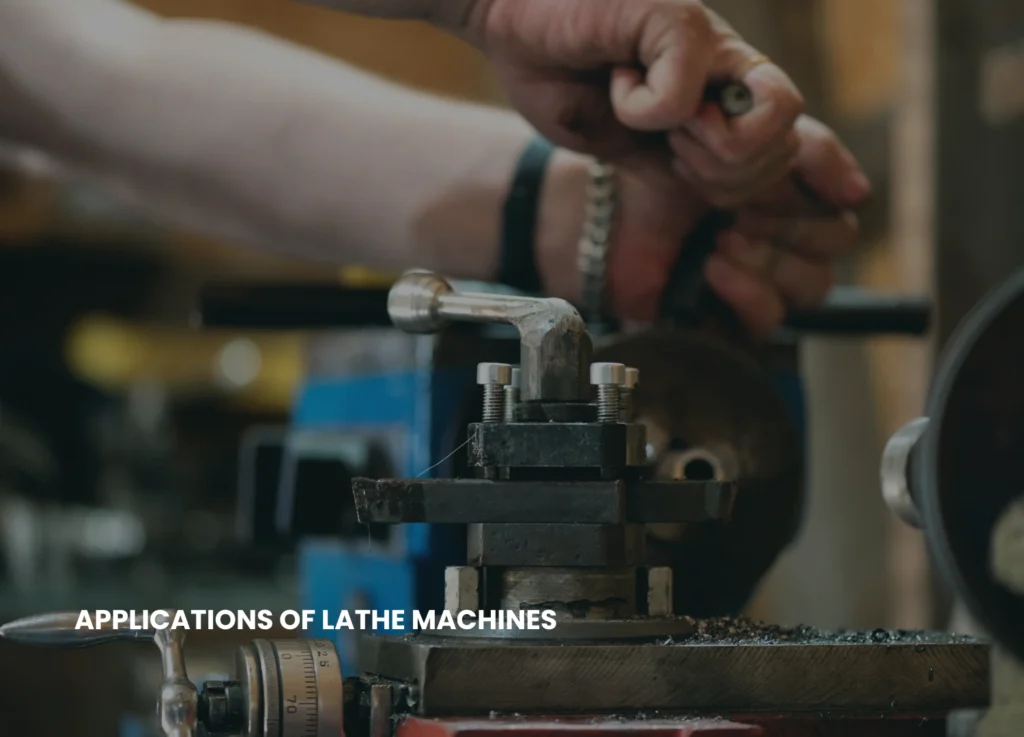
LATHE MACHINE OPERATING ON A MECHANICAL PART


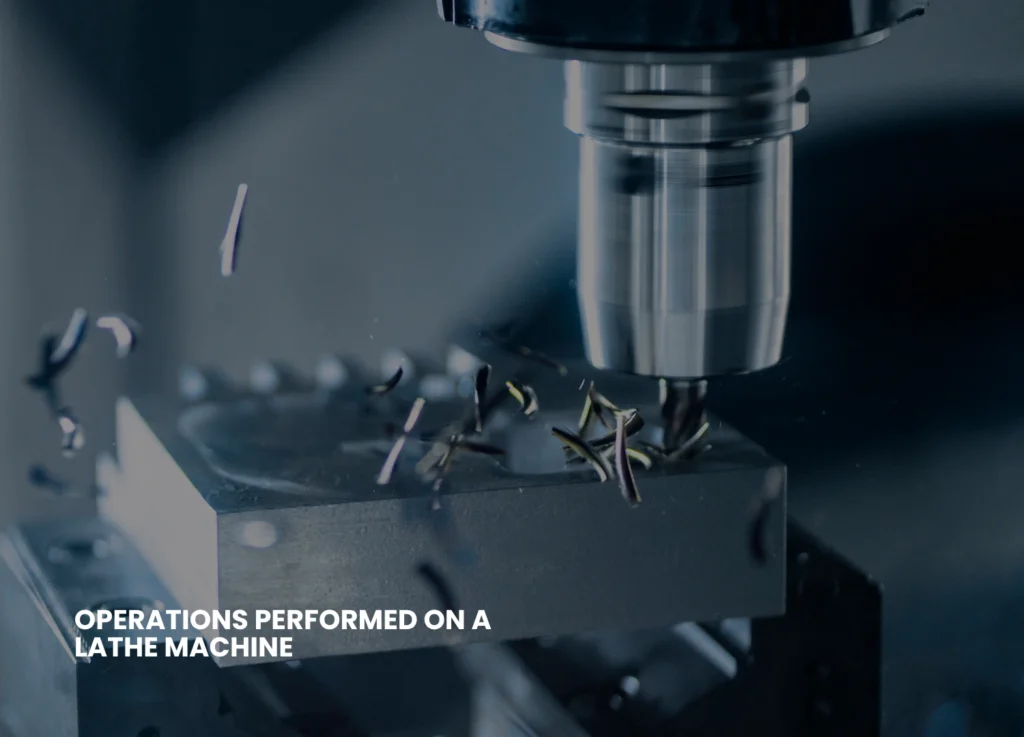
Common Operations Performed on a Lathe Machine 

The lathe machines can be used to carry out a very high number of machining functions, and that is why they are highly versatile within the Manufacturing Processes. 


  • Turning is applied in shrinking a workpiece in diameter. 
  • Smoothing and flattening the end-surface. 
  • Threading can form internal or external screw threads. 
  • Drilling involves the creation of holes with the help of drill bits. 
  • Knurling creates a textured surface to make it easier to hold. 
  • The finished component is separated by parting or cutting off. 
  • Boring also enlarges the holes that are already in place with a high precision. 


Types of Lathe Machines 

A variety of lathe machines is meant to suit certain production needs. 

The most used and which is applicable in general-purpose machining is the engine lathe (centre lathe). 

  • The turret lathe enables a rapid change of tools and is suitable in mass production and repetitive processes. 
  • Computer numerical control is used in the CNC lathe to provide highly accurate, automated and high volume production. Modern CNC Lathe systems and advanced manufacturing require the use of CNC lathe machines. 
  • The bench lathe is compact and small and it is mostly utilized in light-duty and educational purposes. 
  • The tool room lathe is also the accuracy work tool which is more accurate in work and also has more control of speed. 
  • The capstan lathe has been a lighter version of the turret lathe, much used in small to medium batch production. 
  • The speed lathe is simple in construction without a gearbox and is normally applied in woodturning, polishing and spinning. 


Specifications of a Lathe Machine 

In choosing a lathe machine, a number of specifications should be put into consideration in order to make sure that it fits a certain job. 

These are the swing over bed that means what is the maximum diameter of the work piece and the distance between centres and that is the maximum length of material that could be mounted. Additional details of great importance include the range of spindle speed, length of bed, the size of spindle bore and horsepower of the motor, which determines the size of machine and performance. 


Advantages of Using a Lathe Machine 

Lathe machines have a great number of benefits in the sphere of Machine Tools and manufacturing. 

They are very versatile as they can carry out several operations on one machine. Lathe machines are very precise and repeatable and this guarantees the same quality of production. The CNC lathe machines greatly save time and human error during machining due to automation. Moreover, lathe machines have got the capability of operating on a diverse selection of materials, which include metals, plastics, wood and composite. 


AN ENGINEER SETTING UP A LATHE MACHINE


Applications of Lathe Machines 

Lathe machines have a vast number of industries where they can be used. 

They produce shafts, pistons, bushings and engine parts in the automotive sector. Lathe machines are used in aerospace to make lightweight and high-precision components. Nuts and bolts, gears, and flanges are manufactured by using the metalworking and fabrication industry and lathes. They find application in the medical industry to make surgical instruments and implants. Woodworking, maintenance shops and repair shops are also common places where lathe machines are utilized. 


Final Thoughts 

The lathe machine remains one of the pillars of the modern manufacturing production combining the time-honored concepts of machining with the latest automation systems. Its capability to form materials precisely and effectively does not need to be addressed whether as a manual centre lathe in a workshop or a CNC lathe in a production line. 

Any person studying or employed in the field of Mechanical Engineering, Workshop Machinery, or Production Engineering would need to have knowledge of the lathe machines, and how to maximize the manufacturing process and how to produce high-quality components. 

Is CNC Automation Reducing Real Machining Skills?

It is true that manufacturing industry is evolving at a rate never seen before in history and CNC automation is standing at the heart of this evolution. Visit a contemporary machine shop and one will encounter high-speed CNC machines, automatic tool changers, probing machines and even robotic arms loading and unloading parts. All this technology has certainly increased productivity and precision but has also led to a serious question in the machining community; Is CNC automation taking away the real machining skills? 

This is not the question of denying the existence of technology or idealizing the past. Rather, it is a matter of becoming familiar with how rising automation is transforming the job of machinists, what sort of skills will be needed and what will be the long-term consequences of automating manufacturing skill. 


The Rise of CNC Automation in Modern Manufacturing 

The automation of CNC has increased at a high rate because of the increasing rate of industry requirements of speed, uniformity and reduction of expenses. Computerized CNCs are capable of working up to long periods and need very little supervision with the same production of parts with close tolerances. Automatic tool measurement, adaptive feed control, preset machining cycles, etc. are some of the features that have considerably diminished manual decision-making in the process of the operations. 

This business-wise makes sense. The use of automation decreases the reliance on most seasoned operators, potential human error, and yields higher production. The position of the machinist is however gradually being transformed into a system operator as machines become increasingly involved in the handling of more task 


Traditional Machining Skills: What Do We Mean? 

Prior to the widespread implementation of CNC aCNC MACHINING PROCESSutomation, machining was intensive in terms of skill and rich setting-to-do experience. Machinists also had to know the machines by feel, by listening to sounds of cutting, by touching vibrations and manually adjusting the parameters. These are the skills which had been acquired through several years of experience in manual lathes, milling machines and grinders. 
  • Conventional machining skills consisted of: 
  • Cutting speed and feed calculations were done manually. 
  • Experience-based tool selection and tool grinding. 
  • Determining machining problems through sound, feel and visual examination. 
  • Manual adjustments of setups to keep it accurate. 
  • Knowing material behaviour in cutting. 

Such skills were the basis of machining knowledge and enabled machinists to be flexible to unforeseen issues. 


How Automation Changes the Machinist’s Role 

With CNC automation, much of these are now being done by the software, sensors and pre-programmed logic. Current CNC machines have the ability to automatically choose the cutting parameters, correct tool wear, and terminate operations in case of fault detection. This has meant that there is a tendency to subject machinists to loading programs, watching screens, and responding to alarms instead of actively controlling the machining process. 

This change does not kill all the skills but it only alters the nature of the skills needed. The machinist of today must learn not only of software, machine interfaces and troubleshooting, but of manual control techniques less. This is another set of skills, but it may be acquired at the expense of having lost basic machining intuition. 


Reduced Hands-On Experience for New Machinists 

The effect that CNC automation has on the new entrants into the profession is one of the most considerable worries concerning the practice. Large numbers of new machinists begin their careers right on CNC machines and never touch a manual machine. Although they can be taught the effective use of CNC controls, they can be short of knowledge on the foundations of machining. 

  • Devoid of the practical aspect: 
  • The operators might find it difficult to detect the cause of machining issues. 
  • The breakage of the tools can be considered a software problem and not mechanical. 
  • Bad surface finish cannot be diagnosed well. 
  • The process optimization is now trial and error, and not a skill-based exercise. 

This results in a breed of operators, who have the ability to operate machines but might be unaware of the reasons behind the events that occur during cutting. 


CAM AUTOMATION MEANS LACK OF HANDS ON EXPERIENCE FOR NEW ENGINEERS


Over-Reliance on Software and Pre-set Cycles 

Excessive dependence on CAM programs and machining cycles are also another negative aspect of automation. Although CAM systems are potent and effective, their toolpaths produced are usually generic and are not likely to suit all cases. Parameters were fine-tuned by skilled machinists, depending on the state of the machine, wear of tools and variation of materials. 

  • When operators blindly believe the software output: 
  • Tools used to cut may be operated to dangerous levels. 
  • Quality of surface finish can be compromised. 
  • The life of tools can decrease considerably. 
  • Unnecessary stress may be exerted on the machines. 

The absence of solid machining expertise would allow the operators to be unconcerned with software choices and cause inefficiencies and expensive mistakes. 


Skill Dilution Vs Skill Transformation 

It should be mentioned that CNC automation does not necessarily kill skills but rather transforms them. The current machining demands both manual and computerized skills. The issue comes in when automation rather than augmenting it supplants understanding. 

  • Automation has resulted in (in most shops): 
  • Less focus on machining theory. 
  • More rapid training oriented on pressing buttons. 
  • Weak exposure to problem solving situations. 
  • Reduction in mentoring by the experienced machinists. 

This gives capability depletion and not development. 


Why Skilled Machinists Are Still Irreplaceable 

Even with the high rates of automation, professional machinists are still essential in the production. Machines can be very useful in terms of speed and consistency when it comes to applying programmed instructions but they do not have the capability of the human mind to think critically, adjust to situations that arise and be innovative in times when the normal processes do not work. When machining issues are encountered, like tool life, dimensional errors, surface defect, etc., experience and judgment of a trained machinist will prove the difference between lost production and a timely solution. 

The human knowledge is particularly needed in case of operating new or hard-to-machine materials, in which case, typical cutting parameters might not be applicable, and the necessary modifications are to be implemented depending on the real-time observations. During the production of tight tolerances in low-volume or custom machining, the skilled machinists are also required as automation is not enough to ensure precision. Vibration, chatter, and thermal distortion are some of the problems that may involve intuitive diagnosis and corrective measures that cannot be detected by sensors and software. Also with experienced machinists, they are capable of maximizing the cycle time without reducing quality by balancing speed, tool life and surface finish. Human judgment is essential in processes modification and practical decisions when making decisions in the shop floor as engineering drawings are not clear or complete. It is only when driven by informed practitioners that automation can provide the most excellent outcomes, as an effective aid and not a substitute of actual machining mastery. 


Impact on Manufacturing Quality and Innovation 

The decrease in the real machining skills can pose a severe threat to the manufacturing quality and innovation in the long term. In cases where machine shops are over-dependent on automated operations, they are restricted in their adaptation to the unusual or unexpected problems. Machining innovation has always been the domain of the expert machinists who have tried crafting ways of cutting things, changing processes according to experience and risking the operation boundaries safely to get a better result. Such human enhancements tend to increase efficiency, quality and reliability of production process. 

In case machining is fully automated, problem solving skills in the shop floor would sooner or later be eroded over time, the operators would rely on systems other than critical thinking. Automation has the possibility of slowing down process improvement since it has a predefined routine rather than promoting creative adaptations. In the long run, this may cause reliance on external software, vendors or technical support at the expense of internal expertise of a company. It is also possible that manufacturing flexibility is reduced and custom jobs, small-scale production, or complicated design alterations become difficult to deal with. The automation and human skills efficiently combined, combining technological efficiency with human skills and innovativeness form the real manufacturing excellence. 


Finding the Right Balance Between Automation and Skill 

The answer does not lie in abandoning CNC automation but in a decrease in its use coupled with training of the skills. Machine shops should make sure that automation does not eliminate machining knowledge, but should increase it. The basic training programs must be made on basics and then advanced automation can be introduced. 

Strategies to be used are: 

  • Introduction to manual machining and CNC. 
  • Justifying the rationale of parameter reduction. 
  • Promotion of the analysis of machining issues by the operators. 
  • Encouraging mentoring between the senior and the junior machinists. 
  • Automating to help, but not to lean on. 

This will make the machinists retain their professionalism instead of being machine operators. 


The Future of Machining Skills 

In the future, machining skills would keep on changing. The hybrid skill set required of the future machinist will be a combination of the traditional machining knowledge, CNC operation, software knowledge, and problem solving skill. There will be a significant role of automation, and still human expertise will be the foundation of the manufacturing. 

Instead of posing the question of whether CNC automation is eliminating real machining skills, it may be more appropriate to pose the question of: Are we educating machinists to think or are we educating them to operate? The future of manufacturing industry will be determined by the answer to that question. 


Conclusion 

Automation in CNC has definitely changed the face of machining and introduced efficiency, accuracy and productivity to a new level. Nevertheless, automation can also negatively impact the skill of the actual machining process when it takes away the meaning rather than enhancing it. It is not a loss that happens in a short time, but in a slow manner- evident in a decline in problem-solving skills, poor underlying skills and excessive dependence on software. 

The key lies in balance. The skilled machinists should be empowered by automation rather than displace them. The industry can maintain the basics of machining and the adoption of modern technology to make sure that the practical machining skills will prevail in an ever-more automated world. 

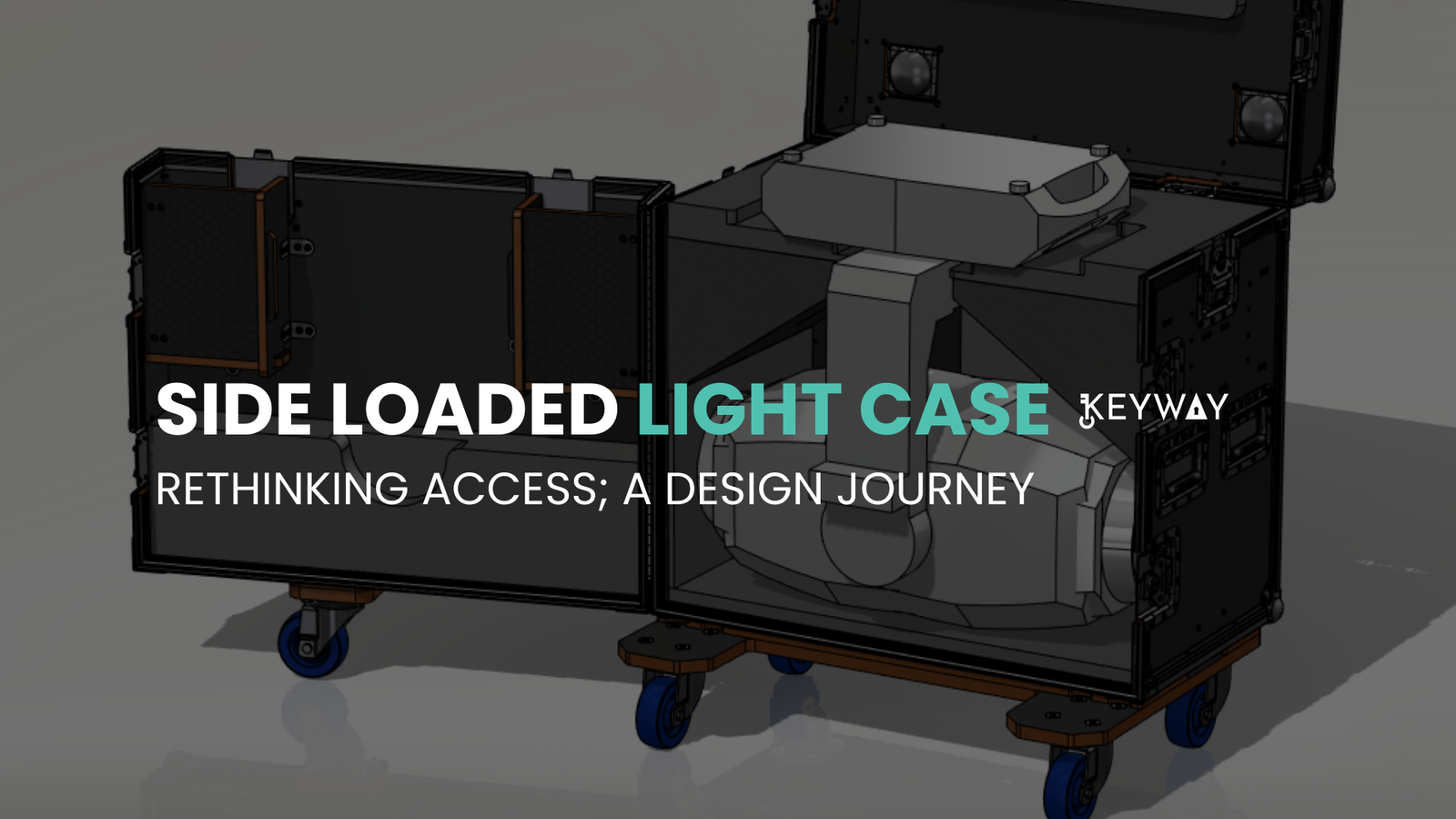
Rethinking Access: Designing a Side-Loaded Case for the Chauvet Maverick Storm 4 Profile

Flight case design is much more than just the equipment protection on transit. A professionally designed case should also boost the usability, a shorter setup duration, and safe working conditions in the professional touring or live event setting. When our team was invited to create a custom form of transport to support the Chauvet Maverick Storm 4 Profile, one of the largest and most powerful moving head fixtures in its category, it was clear right away that the creation of a standard top-loading case would be introducing several unnecessary complications. To solve these issues, it was necessary to think about a solution based on the principles of Flight Case Design and Road Case Engineering.

Maverick Storm 4 Profile is a very heavy and large piece of equipment and is usually utilized in intensive Stage Lighting like concerts, festivals, and other large-scale productions. The top-loading standard designs are mostly based on vertical lifting that is not very efficient and risky when handling such a large scale of fixtures. Instead of tailoring the workflow to the case, the current project was dedicated to tailoring the case to real-world operational requirements, which is becoming a philosophy very necessary in Live Event Production and professional Product Design.

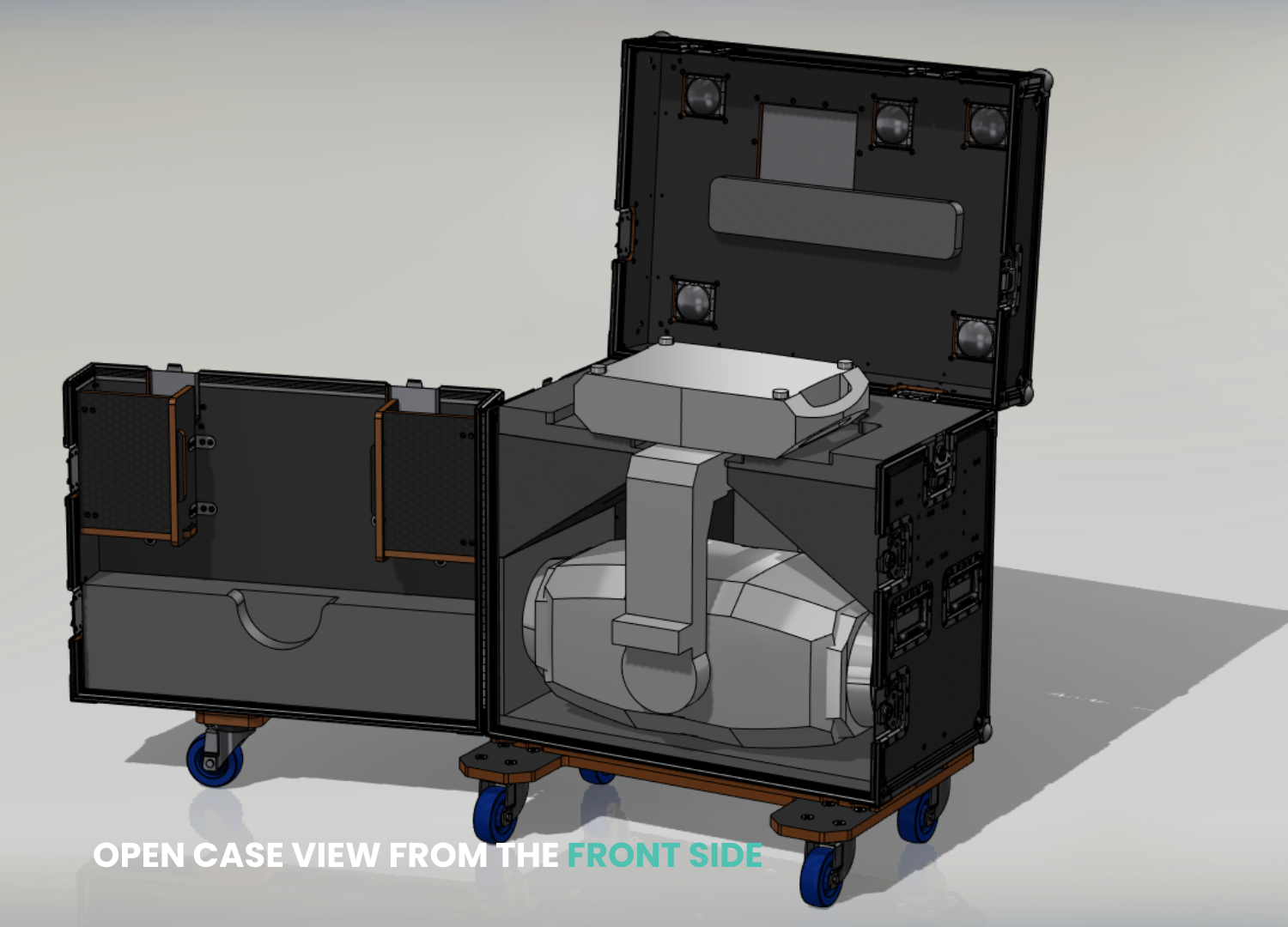
transport case for a moving head light, front view

Input Conditions and Design Constraints

The client had a well-defined list of requirements that would determine the direction to take in the design before any modelling or prototyping was done. These ensured that the case would be feasible to touring crews, rental houses and production companies that depend on efficiency, durability and safety.

The client’s key requirements were clear:

  • The case had to fit the Maverick Storm 4 Profile with minimal footprint.

  • It needed to provide safe, repeatable loading and unloading with reduced risk of damage or injury.

  • Structural durability had to meet touring-grade expectations.

  • The overall weight and external dimensions should stay within manageable limits for transport and handling.

The design team also carried out an in-depth investigation into the actual needs of the client besides what the client had mentioned. The location of the center of gravity, ease of rigging points and the manner in which technicians interact with moving head lights are some of the factors that were critically considered during load-ins and load-outs. These will be important in Stage Lighting logistics, where physical fatigue and time pressure may enhance the risks of errors. With these considerations at the outset, the project was highly correlated with the best practices of Road Case Engineering and user-focused Product Design.

Evaluating Traditional Top-Loading Limitations

First concept development was on traditional top-loading case geometries. In Solid Works Design, it was found very quickly that there were difficulties in vertical loading of such a size of a fixture. To move the Maverick Storm 4 Profile safely in and out of the case, there would be a requirement of a lot of vertical clearance, which would raise the overall height of the case. This increased height would make packing of the truck, storage capacity and on site maneuverability (logistical issues in Live Event Production) difficult.

Ernomic risks were also brought about by top-loading. The fact that the heavy fixtures are raised up in the air, increases the chances of not using it properly, especially during the situations when there are several fixtures being deployed at the same time. In festival and touring applications typical of Chauvet Professional systems, it is of utmost importance to minimize the lifting forces that are not required to ensure safety of technicians. These results confirmed that access should be re-thought in its entirety, not optimized to make a system that is fundamentally inefficient.

open view of a loaded flight case

Transitioning to a Side-Loaded Solution

This move to incorporate a side loaded design was a turning point in the design process. Rather than making the fixture move up and down the case was made to enable the loading and unloading of the light horizontally and this avoided the most physically demanding part of the task of handling the light. This design is close to the current Flight Case Design, which emphasizes more and more on ergonomics and efficiency of workflow.

The main characteristics of the side-loaded design will be:
 Horizontal sliding access which removes vertical lifting.
 Specially-milled runners which direct the position of the fixture.
 Padded alignment aids in the prevention of lateral movement.
 Foam supports are made to suit the frame of the furniture and weight distribution.

This was a very effective design in regard to saving handling time; it, also reduced the chances of an accidental hit or misalignment. The fact that crews can deploy fixtures in a brief time and safely is a significant operational advantage to Live Event Production crews who face tight schedules. The design in which the side is loaded also guarantees that the position of the fixture is always the same whenever the item is packed, which also adds to the idea of repeatability, which is an essential objective in professional Road Case Engineering.

Structural Considerations and Reinforcement Strategy

Although there are obvious ergonomic advantages of side-loaded access, it places another structural stress pattern in comparison to top-mounted lids. The large side door should withstand frequent opening periods, vibration during transportation and transfer of weights when the cases are placed atop each other. These issues demanded a proper structural planning and strengthening to face them.

Design solutions put in place structurally:
 Strengthening of internal framing by the side access door.
 Load-distribution ribs to withstand flex when transporting.
 Touring-rated heavy-duty hinges and latches.
 Very stiff edges on doors to ensure long-term alignment.

Simple solids finite element analysis (FEA) simulations were performed with SolidWorks Design in order to verify these design decisions. Under these simulations, the deflection of doors underweight was evaluated and the rigidity of the torsional type was proven in the overall frame. Other safety-related features were incorporated so that the final product would comply with ATA style standards but retain the appearance of clean lines typically found on high-end Flight Case Design.

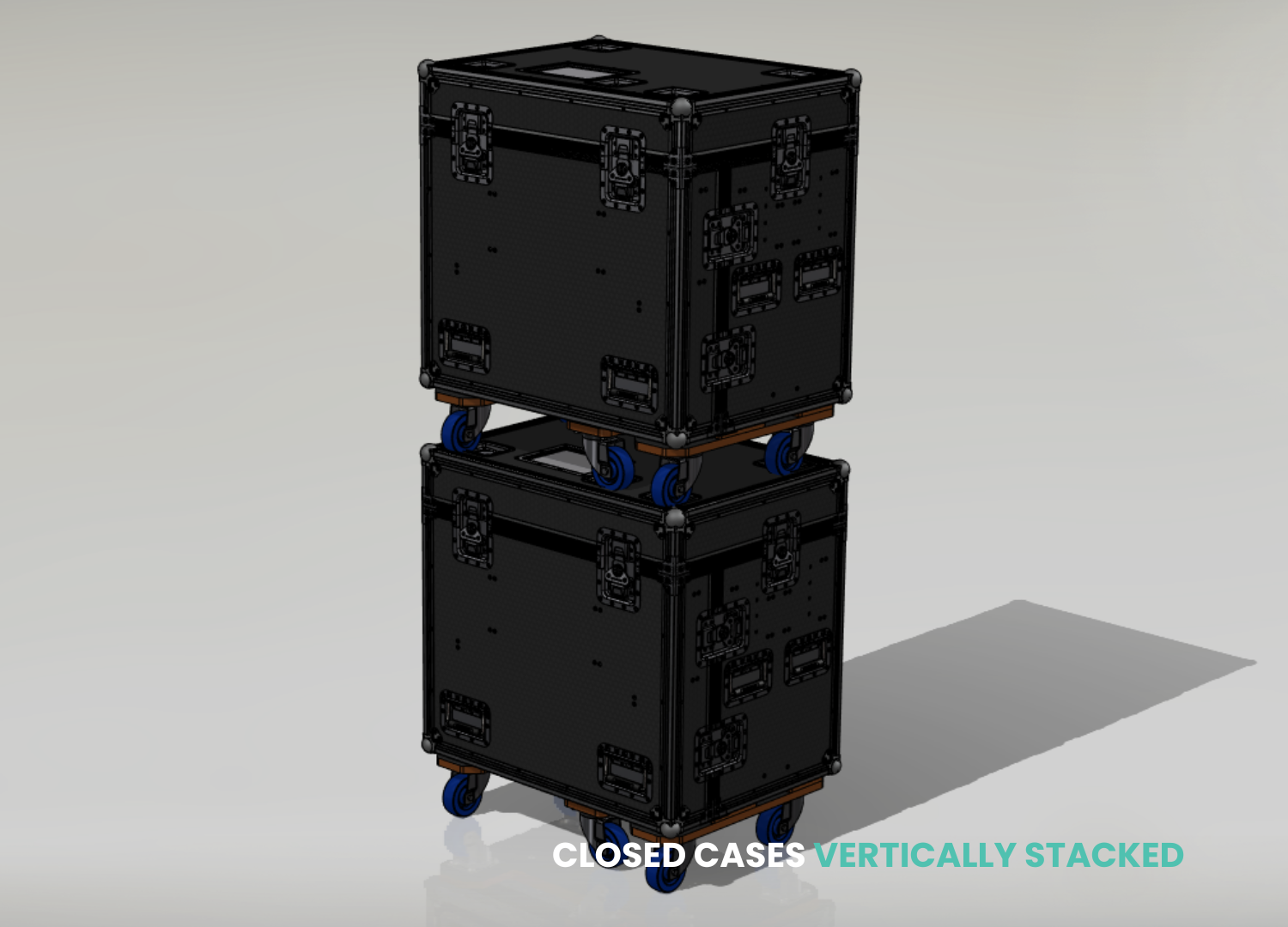
stacked view of loaded flight cases

Practical Benefits for the Industry

Even though side-loaded have been so far restricted to niche applications, they are still not exploited in large moving head fixtures that obviously have their practical advantages. As is shownwith this project; with a revaluation of the access orientation, much can be done to increase usability without reducing the durability or protective performance a professional road case is supposed to deliver. The requirement of transport solutions that are ergonomically optimized is becoming more and more critical to the industry as the stage lighting fixtures continue to grow in size, weight, and output.

There are also practical benefits in the side-loaded case design: faster assembly and dismantling of the case in the field, less damage during the assembly process through awkward lifting and handling, and physical strain and fatigue to technicians and crew members. The design is more consistent with the real-life operational parameters of working conditions on tours, in rental warehouses, and on production floors by enabling the loading and unloading of the fixture to be achieved at a lower working height.

In the case of touring companies, rental houses and production teams that apply the Chauvet Professional fixtures, the strategy will ensure safer working processes and effective logistics. It is a constructive development of designing cases based on how equipment is being used and deployed, as opposed to just how it fits in a container. Such an attitude towards its users is the main focus of modern product design and road case engineering, which focuses on ergonomics, efficiency, and long-term durability in addition to protection.


Conclusion: Elevating Road Case Engineering Through Thoughtful Design

The given project shows that carefully considered engineering and professional CAD processes can turn an apparently straightforward issue into an innovative opportunity. The design is able to provide quantifiable advantages in safety, efficiency, and usability, by abandoning a conventional top-loading concept and adopting a side-loaded design. The ultimate case with the help of SolidWorks Design, structural analysis, and real-world workflow factors is going to raise the standards of transport solutions in the Live Event Production. After all, this side-loaded maverick Storm 4 Profile case with Chauvet marks the future of Flight Case Design. It proves that when ergonomics, logistics, and structural performance are viewed as a complex, road case engineering can become more than a protection, it can be also a part of the production process itself.


What is Friction Welding? – Definition, Working, Types, Advantages & Disadvantages

Welding is among the most crucial process in contemporary manufacturing and building, which makes it possible to produce powerful and stable parts that are utilized through industries. Although conventional approaches to welding involve melting of the metals through electric arches or flames, new technology has been developed where the metals do not melt at all. One of such innovative processes is Friction Welding which falls under the Solid State Welding and heat generation occurs as a result of mechanical friction and not by external heat sources.  

Friction welding has become well-known in the Manufacturing Engineering and Mechanical Engineering sphere as it allows to create high-quality joints with minimum flaws. It is also of great value in Advanced Manufacturing environment whereby the issue of strength, efficiency and sustainability is of great concern. Automotic Manufacturing, Aerospace Engineering, railways and defence are some of the industries with huge reliance on friction welding in order to achieve high performance expectations. 

The blog gives full insight into friction welding, its definition, principle, types, benefits, drawbacks and its use in industries. 

frictional welding in action on machinery parts

Friction Welding – Definition

The friction Welding (FW) is also a solid-state process of join in which the heat is produced through mechanical friction between two workpieces in relative motion. The interface material is softened and not melted as the frictional heat accumulates. When the appropriate amount of heat is obtained, there is a pressure applied on the axial direction, which fuses the two materials to create a powerful metallurgical bond. 

Since the base materials do not melt off, friction welding does not have to deal with some of the defects of fusion welding, including porosity, solidification cracks and extreme distortion. 

This makes it an ideal solution for producing High Strength Welds and performing Dissimilar Metal Welding, where traditional welding methods often struggle. The absence of filler material, flux, or shielding gas also makes friction welding one of the cleanest and most Energy Efficient Manufacturing processes available today. 


⚙️ How Does Friction Welding Work?

The principle of operation of friction welding relies on the transformation of mechanical energy into thermal energy by means of controlled movement and pressure. The workpiece is moved in some manner, either by rotation or by linear motion and the other is immobile. The contact between the surfaces causes friction to give heat at the interface, which renders the material soft at the interface. 

When the required temperature is reached, the relative motion will not be considered and the axial force will be applied. It is a force that binds the softened materials together pushing out surface contaminants and oxides of the joint area. The joint is then left to cool under pressure which produces a high density defect-free bond with high mechanical properties. Friction Welding is a highly reliable process that is controlled and repeatable and this feature is very crucial in the settings of Industrial Welding and mass-production. 

Friction welding uses rotational or linear motion and axial pressure to join two workpieces. Here’s a basic overview of the process:

  1. Preparation: Two clean workpieces are aligned. One is typically fixed, while the other rotates or oscillates.

  2. Friction Phase: The moving piece creates friction at the interface, generating heat.

  3. Upset Phase: Once the material is softened, relative motion stops, and axial pressure is applied to forge the bond.

  4. Cooling Phase: The newly formed joint is allowed to cool under pressure.

The result? A high-strength, metallurgically bonded joint without melting the base materials.

visual of how friction welding works

Types of Friction Welding

Friction welding is not just one process but a set of similar processes, each tailored to various materials, shapes and performance needs. These differences mean that friction welding can be applied in a very broad spectrum of Manufacturing Innovation applications. 

It is mostly performed by Rotary Friction Welding (RFW), in which one cylindrical part turns at a high speed with the other part being stationary. When enough heat is produced, the rotation is ceased and pressure is used to finalize the weld. The technique is common in Automotive Manufacturing of items like axles and shafts together with valves because of its speed and repeatability. 

Linear Friction Welding (LFW): 

It takes the place of rotary movement with a specified back and forth linear movement. The method is best applied in non-cylindrical parts and it finds widespread applications in the Aerospace Engineering field, mostly in the production of turbine blades and blisks. Linear friction welding has an outstanding joint quality and dimensional accuracy. 

Friction Stir Welding (FSW)  

It is an important innovation in Advanced Manufacturing. Rather than relocating the workpieces, a rotating tool with a profiled pin is pushed into the line of joint and followed along that line. The tool makes the materials mix mechanically so that it creates a solid-state joint. FSW has extensive application in shipbuilding, railways and aerospace structures of aluminium alloys and is considered a standard practice in Energy Efficient Manufacturing. 

Orbital Friction Welding  

In this welding, the orbital motion is controlled instead of being rotated completely, allowing the distribution of heat at the joint to be uniform. This is an industry-standard technique applied in highly critical aerospace and defense applications where joint repeatability is a significant concern. 

Inertia Friction Welding  

It is a technique which applies stored kinetic energy stored in a flywheel to create frictional heat. After the flywheel is released, the weld is finished with the help of axial pressure. The technology is well known to manufacture very strong joints and it can be regularly used in the manufacture of high-performance structural parts. 

Advantages of Friction Welding 

Friction welding has a lot of benefits while compared to many of the traditional methods of fusion welding and is more so better when it comes to high performance engineering. 

Key advantages include: 

  • Defects associated with melting are removed in solid-state process. 
  • Manufactures joints of high mechanical strength. 
  • Best in Dissimilar Metal Welding. 
  • No filler metals, flux or shielding gases needed. 
  • Ecologically positive process. 
  • Short cycle times that could be used in large scale production. 
  • Less energy usage than arc welding. 

These advantages are the reason why friction welding is being embraced in the Advanced Welding and Manufacturing Engineering settings. 

Disadvantages of Friction Welding 

Even though it has numerous advantages, there are also some drawbacks of friction welding, which should be taken into account when choosing a process. 

Major limitations include: 

  • Expensive start up and installation. 
  • Demand of special equipment. 
  • Constrained in terms of comparatively simple joint geometries. 
  • Not compatible with large or complicated assemblies. 
  • After exact surface preparation and adjustment were required. 

These constraints contribute to enabling manufacturers to decide on the suitability of friction welding to a particular Industrial Welding use. 

Applications of Friction Welding 

Friction welding is also common in any industry where strength, reliability and precision is a must. Primarily it is applied in Automotive Manufacturing in the drive shafts, steering columns and transmission parts. The Aerospace Engineering industry has to use friction welding to make turbine blades, fuel system components and structural components when failure is not a choice. 

Friction welding is applied in the railway industry to join the axles, wheels and gear shafts. It is used in the oil and gas industry in drill bits, casings and high pressure valves. Friction welding is used in electronics, which allows copper and aluminium to be connected with high reliability in heat sinks and connectors. Weapon system and armoured components are used in defense and this features the role of friction welding in High Strength Welds and Manufacturing Innovation. 

products created from frictional welding

Final Thoughts

Friction welding is a clean, efficient and reliable process of joining that is very critical in the current Advanced Manufacturing. It removes melting and minimizes energy usage, thus providing high-quality joints and promoting the sustainability agenda. Its capability to unite unlike metals in creating non-defective welds renders it essential in performance and innovation-oriented industries. 


With changing times and advancing technology, lightweight construction designs and sustainability will continue to be paramount in the industry and lightweight products even as friction welding will persist as the foundation of the Industrial Welding and Future of Manufacturing. 

How Can 3D Reverse Engineering Recreate Parts Without Original CAD Files

The 3D reverse engineering is a revolution for manufacturers and engineers. This process works by scanning a physical object to capture its exact shape as it is and recreate it in digital formats in case of missing CAD files or the wear out of parts. Guesswork and re-invention are eliminated, and you receive high-resolution CAD files, which can be fine-tuned and sent to the factory.

This blog describes the process of 3D reverse engineering part re-creation (without original CADs) in detail, providing an insight into the actual advantages to your part of the workflow.


engineer working on a computer for cad design service


Why You Need 3D Reverse Engineering?

Lost CAD files are very frequent. Vacant parts of old machines, out-of-supply parts, or unsaved prototypes of custom parts plunge stores into stalemates. Conventional tools, such as calipers, require days to measure, and they too give errors.

This is reversed in 3D reverse engineering, in which lasers or structured light are used to scan the actual part. It produces a digital twin within 0.05 mm or more. It is applicable to any item, including engine blocks and medical implants, and it saves time and cost, along with perfect fits.

Step-By-Step Process To Recreate Parts

It is a simple procedure and is based on professional 3D scanners and programs. It can be done in six
straightforward steps, as a proven workflow does.

Step 1: Prepare The Physical Part

Wipe the part down to clean it of dirt, grease, or paint, which can cause havoc with the scan. On shiny or dark surfaces, use a temporary spray to make them appear matte, such as AESUB scanning spray – it evaporates, and it leaves no trace. Delicate components are to be handled cautiously and placed on a turntable. This preparation takes minutes, and it guarantees purposeful data collection.

Step 2: 3D Scan The Object

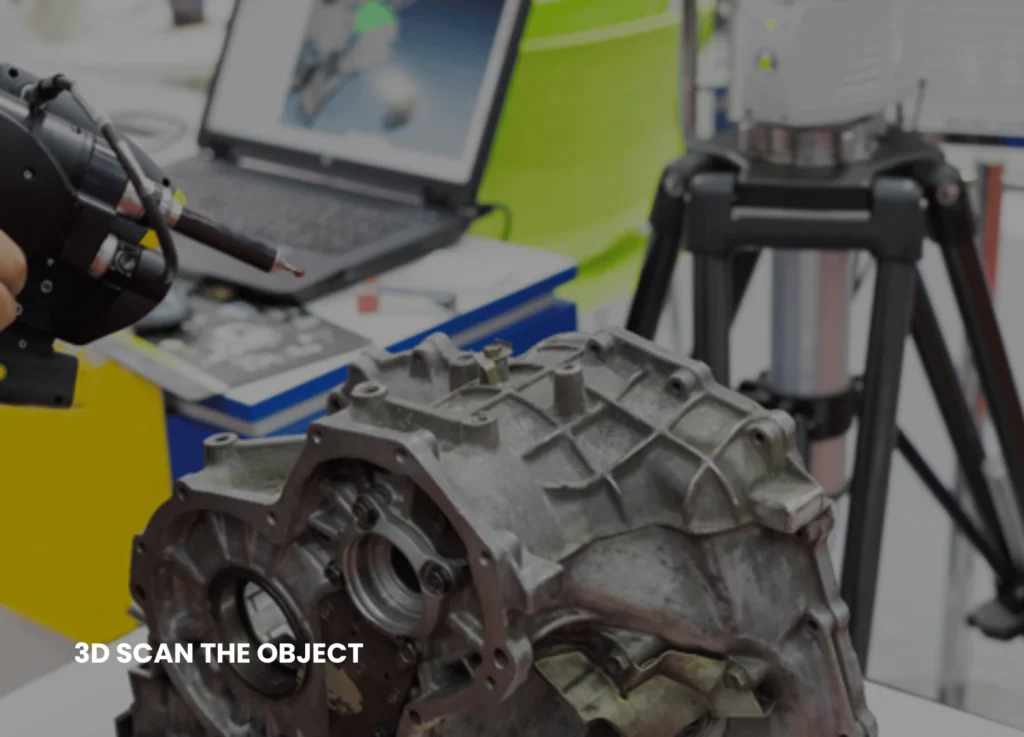
A 3D scanner such as the Artec Eva or Creaform HandySCAN can be used. These types of devices project lasers or patterns onto the part and record the millions of surface points at all angles. Roll the piece or rotate the scanner around the piece to ensure it is covered completely, including holes and undercuts. The result? An XYZ point cloud file of all the details, which is raw.

Step 3: Clean And Process The Point Cloud

The scan data is imported into software such as Autodesk ReCap or FARO Scene. Either eliminate noise, outliers, or additional points on the reflection. Align several scans in case there were several passes. This step filters the data to a concrete basis, usually compressing file size by half, but still retaining high accuracy.

Step 4: Create A 3D Mesh Model

Transform the point cloud into a mesh with applications such as Geomagic Wrap or MeshLab. This shapes a polygon surface (STL file) which resembles the skin of the part. Improve the mesh and smooth out irregularities and minor holes. Your next step is a watertight digital model, which is now ready to take the next step. Keyways offers you the most reliable of all reverse engineering services.

Step 5: Build The CAD Model

This is where magic happens. Bring the mesh into CAD software such as SolidWorks, Fusion 360, or Siemens NX. Engineers follow some major features: sketch cross-sections, extrude surfaces as well, and add fillets or chamfers. Parametric modeling provides the ability to edit dimensions, tolerances, and features with ease. The resulting CAD file (STEP or IGES) can be completely edited, compared to the scan mesh.

Step 6: Check, Model, And Manufacture

Comparison of new and old scans with deviation color map – green is a perfect match, red has some adjustments to be made. Stress or fit on Ansys or SolidWorks Simulation. Export to a CNC machine, 3D print, or even mold. Test a prototype by printing it; it must be the same as the original.

Tools And Software You Need

● Scanners: Entry-level scanners such as Einscan are used in small shops; pro scanners such as ZEISS are used in high precision work.
● Software: Free ones, such as MeshLab, to work with basicsan engineer scanning the mechanical part for reverse engineering; paid such as PowerInspect, to do inspection.

● CAD Programs: Fusion 360 (cloud-based, cheap) or CATIA for intricate parts. The prices begin at $1,000 to install a basic set-up, and services provide scans at a cost of $100-500 each part.

Real-World Benefits And Examples

The reverse engineering Shops with 3D cut down the recreation time, which was previously weeks to days. A 48-hour project by one car company saw it recreate a rare gearbox component, saving it a downtime of $10,000.
Aerospace manufacturers do not redesign new turbine blades; they just modify old ones to better alloys. The medical device manufacturers recreate custom prosthetics exactly. Benefits include:
● 90% faster than manual methods
● Tolerance accuracy under 0.1 mm
● Improvements to the files can be made.
● Less scrap and rework
● Scalable to one-offs, batches.

Common Challenges And Fixes

Organic forms, such as castings, may be difficult because of free-form surfaces. Photogrammetry Solution:

Use hybrid scanning on large parts.
Freezing scans? Scan in a non-vibratory controlled environment. Software glitches? Always back up raw data. In internal features, CT scanning is recommended – it will peek inside without cutting the part.

When To Use 3D Reverse Engineering Services
Perfect for:
➔ Making outdated equipment serviceable.
➔ Special upgrades or customisations.
➔ Comparison of quality control.
➔ Competitor analysis (legally) or patent work.
➔ Field samples Rapid prototyping.
It is not the best choice in super-simple components where a caliper is enough, but it is the best for complex
geometries.

Future Trends In 3D Reverse Engineering

Artificial intelligence is making it faster – programs automatically convert meshes to CAD with 95 percent precision. Portable scanners are also used with AR to do work on-site. Cloud-based services enable members to work all over the world. When prices are falling, even hobbyists are using it, but professionals get the advantage in production. 3D reverse engineering services convert used components to new CADs with ease. Meshing, scanning, and modelling give you a replica of everything with no originals, increasing productivity and creativity. Buy a simple scanner and watch your shop change, it’s like you lost your headaches over lost files. Keyways offers you the most unparalleled proficiency in bringing innovation to prototypes and existing products through 3D reverse engineering. To know more about the business, visit our LinkedIn.

10 Questions to Ask Before Hiring Mechanical Design Services

Hiring the right engineering partner can directly impact product quality, development speed, and long-term profitability. Whether you are coming up with a new product, upgrading an existing system or optimising manufacturing processes, it is important to carefully consider the choice of professional Mechanical Design Services. Not only will the right provider enhance product performance, material efficiency, and manufacturability. An effective engineering partner is familiar with industry standards, compliance, and advancing technology, which helps them to stay competitive and minimise expensive redesign and production risk.    


But most companies enter into partnerships without conducting proper due diligence. This usually leads to misaligned expectations, poor communication, design discrepancies, delays in production, and unexpected costs. Ignorance of technical capabilities or lack of measurement of experience in areas like prototyping, testing, or Mechanical Reverse Engineering can create long-lasting operational challenges. When choosing your engineering partner, always evaluate their expertise, technical capabilities, and project approach carefully. Here are the 10 key questions mentioned that will provide you with a competent and informed choice.   


 Mechanical Design Services. Not only will the right provider enhance product performance, material efficiency, and manufacturability 


  1. What Industry Experience Do You Have?


Experience is a significant factor in engineering. The automotive, aerospace, medical devices, industrial equipment, and consumer product industries have differing standards and regulatory requirements. Inquire about the previous projects and industries worked on, and technical issues. 


An experienced provider of Mechanical Design Services will be aware of the material selection, tolerances, safety requirements, and performance requirements specific to your sector. Request case studies or references to validate their experience. 

  1. What Design Software and Tools Do You Use?


High-level CAD and simulation tools are significant in precision engineering. Make sure that the company is operating with industry-standard software like SolidWorks, AutoCAD, CATIA, or Creo. It is possible to have 3D modelling, finite element analysis (FEA), and real-time simulations using modern tools.  


The right software facilitates proper modelling, lowers the mistakes made, and smooths the transitions during manufacturing. Compatibility with your internal systems is also important if collaboration is required.   

  1. Do You Offer Mechanical Reverse Engineering Services?


When redesigning or upgrading a product, enquire whether the company offers Mechanical Reverse Engineering. This service involves the analysis of the physical parts and the reconstruction of the detailed digital models. 


Reverse engineering is particularly helpful when the documentation of the original design is unavailable or out of date. A group of skilled people in Mechanical Reverse Engineering can optimize old products, enhance performance, and assist in creating a cost-effective redesign. 

  1. How Do You Ensure Design Accuracy and Quality Control?


Mechanical engineering requires precision. Ask about their quality assurance processes, validation methods, and review systems. 


Qualified Mechanical Design Services providers introduce systematically conducted quality inspections, reviewing, simulation testing, and verifying compliance. Their working process should include clear documentation, design validation reports and tolerance analysis. 

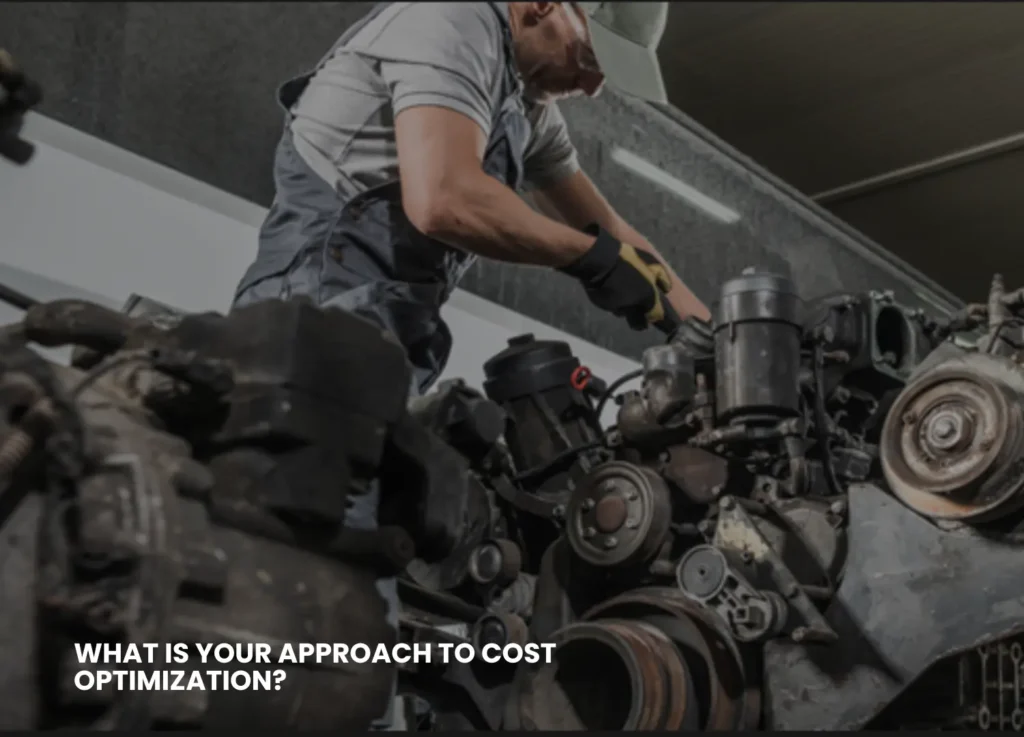
  1. What Is Your Approach to Cost Optimization?


Performance and cost balance good engineering. Enquire of the provider how they approach material selection, manufacturing methods, and simplify the design. 


A knowledgeable engineering partner will suggest cost-saving opportunities without reducing their quality. This can involve a decrease in the amount of waste material, a decrease in the number of parts, or an increase in efficiency in assembly. 


Performance and cost balance good engineering. Enquire of the provider how they approach material selection, manufacturing methods, and simplify the design. 
A knowledgeable engineering partner will suggest cost-saving opportunities without reducing their quality. This can involve a decrease in the amount of waste material, a decrease in the number of parts, or an increase in efficiency in assembly.  


  1. How Do You Handle Prototyping and Testing?


Before proceeding with a larger-scale production, prototyping is necessary. Learn whether they are ready in terms of rapid prototyping, 3D printing, and physical testing.  


A reliable provider of Mechanical Design Services should help in developing a prototype, testing and any necessary adjustments. Early testing reduces risks to production and unnecessary expensive redesigns in the future.  

  1. Can You Support Manufacturing and Production Integration?


Design is not the only part of the process. Enquire on whether the team works together with manufacturers to facilitate smooth production.  


Manufacturing-ready designs provide tolerances, machining, digestibility, assembly, and scalability. Due to knowledge of Design for Manufacturing (DFM) and Design for Assembly (DFA), engineering teams can significantly help in minimising production challenges. 

  1. How Do You Manage Project Timelines and Communication?


Effective communication prevents confusion and time wastage. Inquire about tools of project management, reporting systems, and turnaround times.   


Professional engineering firms provide structured timelines, milestone tracking, and regular updates. Transparent communication ensures that changes, revisions, and approvals are handled efficiently. 

  1. Do You Offer Customisation and Scalability? 


Your business needs may evolve. Select a provider that can scale services according to project complexity. 


Whether you require a small component redesign or a full product development cycle, flexible Mechanical Design Services ensure long-term collaboration. Individual solutions that are interested in your business objectives are more effective than one-size-fits-all approaches.  

  1. How Do You Protect Intellectual Property and Confidential Data?


Engineering projects often deal with confidential designs and information. Ask about confidentiality agreements, safe storage of data, and intellectual property policies.  


A reliable partner should prioritise the security of data and ownership of final designs and documentation. 

Why Mechanical Reverse Engineering Matters? 


Companies in various industries deal with old equipment or parts that have not been properly documented. Mechanical Reverse Engineering enables engineers to digitally reconstruct physical components, understand performance gaps and make improvements. By combining reverse engineering with advanced Mechanical Design Services, businesses can modernise products and extend lifecycle value. 


This approach is especially valuable when: 


  • Spare parts are no longer available. 
  • Original CAD files are missing. 
  • Product upgrades are required. 
  • Cost reduction strategies are needed. 

Conclusion  


Selecting the right engineering partner is crucial to ensuring product reliability, cost efficiency, and long-term success. Assessing knowledge, technical skills and experience in professions like Mechanical Design Services and Mechanical Reverse Engineering enables businesses to reduce the risk associated with development and enhance the overall project outcomes. Asking the right questions before hiring facilitates a smoother implementation, enhanced communication, and quality results that align with industry-specific and market requirements.      


Keyways stands out as a trusted engineering solutions provider committed to precision, innovation, and performance excellence. With a strong focus on structured design processes and client collaboration, the company delivers reliable Mechanical Design Services as per the industry requirements. To stay updated with Keyways’ latest projects and insights, connect with the company on LinkedIn 

Top 10 Issues Fixed Instantly With A Remote CAM Service (Plus How It Works)

Remote CAM services are altering the ballgame for manufacturers. You need not fret over having to figure out the intricate programming code or deal with downtime; you can outsource your CAM (Computer-Aided Manufacturing) tasks to professionals who can remotely connect to your systems. They solve problems quickly in minutes, and your production is not fiddled with.

A PERSON TYPING ON A LAPTOP WITH SMILEYS AND 5 STAR REVIEWS

The blog goes deep into the top 10 most prevalent manufacturing issues that are addressed by a Remote CAM Service immediately, and provides a straightforward explanation of how the service can be used.

Top 10 Issues Fixed Instantly With A Remote CAM Service

Manufacturers are faced with continuous CAM issues that hamper production and waste time. Remote CAM services have secure remote access that will be used to tweak your software, optimise toolpaths and get machines online again.

The 10 most important problems they address immediately are as follows:

Crashed Computer-Aided Software Or Frozen Programs

In case you are doing an important job, and your CAM software suddenly goes dead. The remote expert will log in, reboot processes, delete errors, and be able to restore your setup in less than 10 minutes; you do not need to restart your whole system and waste hours of work.

Incorrect Toolpaths Causing Collisions

Some toolpaths are in error, which may cause machine crashes or scraped parts. The service emulates and fixes paths in real-time and cuts safely and efficiently, which perfectly match your CAD drawing.

Long Machining Times Slowing Production

The programming is inefficient, so the jobs are forever. Professionals remotely optimise the speeds, feeds and paths which reduce the cycle times by 20-50% without you even lifting a finger.

Poor Surface Finish On Parts

Smart appearances or chatter marks destroy quality. Distantly altered finishing plans, stepovers and tool selection provide a smooth finish on the subsequent run.

Error Codes And Machine Alarms

A regular alarm cuts off your CNC machines. The service deciphers errors, modifies parameters, and erases them remotely to have you back in a matter of moments.

Set Up Errors For New Jobs

Job changes cause the misalignment of the offsets or the fixturing. Setups are verified and programmed through remote access by experts, and hours of trial and error are saved on the shop floor.

Incompatible Post-Processors

The output of your CAM does not correspond with the controller of your machine. One of the quick remote fixes is a code that creates the correct code that avoids running tests and compatibility nightmares.

Spindles Or Tools Overheating

Poor parameters lead to the quick wearing of tools. Adjustments are made to the chiploads and coolant settings instantly in case of damage and to increase the life of the tool.

High-Volume Runs Infrastructure

Your team is overburdened with programming numerous similar parts. Automates programs, scales production without requiring personnel, and provides batches of remote services.

Emergency Rush Jobs With Tight Deadlines

A huge order is at the last minute. Professionals create entire CAM programs based on your CAD files in a single night or even in the same day and make stress a success.
The reason behind these fixes is that remote CAM providers are well versed with the popular software such as Mastercam, Fusion 360 or SolidCAM. They enter your system without any problem, they change, and they also test simulations before you execute anything.

Remote CAM Service Wins In The Real World

Firms that apply such services enjoy huge profits. After repairing tools paths remotely, one of the shops saved 40 per cent of the downtime. A second reduced the time spent on custom parts from days to hours. It has such benefits as reduced scrap rates, satisfied customers, and increased machine uptimes without recruiting additional programmers.

The Step-By-Step Guide To How Remote CAM Service Works

Wondering how it is all going on, and no one ever came to your factory? Remote CAM service is easy, safe and expeditious. The process follows the following steps:

Remote CAM service

Step 1: Quick Connection Setup

You put a secure remote access tool such as TeamViewer, AnyDesk or a VPN on your CAM workstation. Upload your CADs and machine information through a portal or email. Hardware-independent, so no changes to hardware are required.

Step 2: Expert Diagnosis

The technician of your service provider links (with your authorisation) and examines the problem. They monitor toolpaths, simulations and machine data in real-time, reporting problematic issues such as bad feeds or geometry errors.

Step 3: Real-Time Resolutions & Optimisation

They remotely reprogram toolpaths, make virtual simulations, and make changes to settings using your CAM software. Modifications are instantly transferred into your machine controller. They use the high-speed plans or the multi-axis movements in complex jobs.

Step 4: Testing And Handover

The specialist is doing all this through a dry run simulation. You receive updated files, a report of what changes have occurred and hints on how to prevent future problems. The production just continues immediately – usually when you are still on the call.

Step 5: Ongoing Support

A significant number of services are available on a 24/7 basis, have monthly retention, or are available as pay-per-fix. Monitor performance using dashboards, which are displayed in terms of uptime and efficiency improvements.
Security is first in the priority list: End-to-end encryption, two-factor authentication, and recordings of the sessions are used. Your information remains on your machines – only the experts see and make changes at all.

Why Choose Remote CAM Over In-House Or On-Site Help?

Traditional fixes imply waiting to have a specialist come to the organisation, which costs thousands of dollars in travel and time lost. Remote service provides 24/7 service around the globe, at a fraction of the cost (usually, it is $100-300/hour). It suits well in small stores that do not need a full-time professional programmer or big companies that may require an overflow programmer.
Also, it is scalable: Deal with a single one-off repair or complete production code. Most providers did not need any long-term contracts.

The Future Of Remote CAM Services

Remote CAM is developing in an Industry 4.0 environment. AI-driven optimisations, cloud-based CAM in support of real-time scaling and integration with IoT sensors to provide predictive fixes, are to be expected. The manufacturers who will remain afloat will depend on these services to maintain quality at low costs. Remote CAM services resolve your biggest manufacturing headaches in real-time, increasing efficiency and profits. They are the ingenious solution to contemporary shops, be it in the form of crashed software or hurried work. Ready to try it? A reliable provider like Keyways can be contacted today, and your production will take off. To know more about the services provided, visit our LinkedIn.